Best Budget Laptops for Photo Editing — Smart Picks That Actually Work
Photo editing on a budget laptop is absolutely possible — but only if you buy the right kind of budget laptop.
This is where many buyers get trapped.
They focus on processor names, see “16GB RAM” in a listing, and assume the laptop is creator-ready. Then the screen turns out to be dull, color accuracy is weak, brightness is mediocre, and suddenly Lightroom or Photoshop becomes a much worse experience than expected.
That is why this guide is built around real photo-editing priorities instead of empty spec chasing.
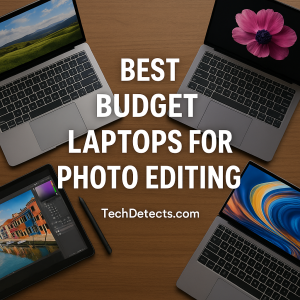
We shortlisted laptops that actually make sense for photographers, hobbyist editors, students, and content creators working within a sensible budget. That means focusing on:
- a display you can trust
- enough RAM for smooth editing
- processors that are realistically strong enough
- storage that will not feel cramped too quickly
- overall value, not just flashy numbers
And just as important: these are not “cheap for the sake of being cheap” picks. These are the budget laptops that still make practical sense for real-world editing.
Quick Picks
- Best overall budget laptop for photo editing: ASUS Vivobook 15 OLED
- Best value performance pick: Acer Aspire 5
- Best for multitasking and heavier RAW workflows: Lenovo IdeaPad Slim 5
- Best upper-budget pick if you want a better all-rounder: Acer Swift Go 14
- Best compact option: Dell Inspiron 14
- Best budget Mac for photo editing: MacBook Air M1
What actually matters for photo editing
Display quality matters more than people think
For photo editing, the display is not just another feature.
It is the thing you are working through.
If the panel is poor, your edits will be poor. Shadows may look too crushed, colors may look more vibrant than they really are, and skin tones may shift in ways you do not notice until you open the same image on another screen.
What you want to look for:
- IPS or OLED panel
- good color coverage, ideally close to or at 100% sRGB
- around 300 nits or more of brightness
- a resolution that is at least Full HD
This is exactly why some modest laptops with excellent displays are better for editing than more powerful laptops with mediocre screens.
CPU: you do not need workstation-level power
For budget photo editing, the sweet spot is usually:
- Intel Core i5 from recent generations
- AMD Ryzen 5 from recent generations
- Apple M1 if you are going the Mac route
For Lightroom, Photoshop, batch exports, masking, and basic to moderate RAW editing, this level of performance is usually enough.
You do not need to overspend on a high-end chip if the display and RAM are not good enough.
RAM is one of the biggest real-world differences
This is where budget laptops can either feel smooth or frustrating.
- 8GB RAM is the minimum that still makes sense today
- 16GB RAM is the level where many photo-editing laptops begin to feel noticeably more comfortable
If you edit larger files, keep many browser tabs open, or work between Lightroom, Photoshop, cloud storage, and reference windows, 16GB is a very meaningful upgrade.
Storage fills up faster than expected
Photo libraries grow quickly.
Even if your editing workflow is light, exported JPEGs, RAW files, temporary caches, presets, and cloud sync folders can eat storage much faster than general users expect.
The practical target is:
- 512GB SSD if possible
- 256GB SSD only if you are comfortable using external storage or cloud-based organization
Dedicated graphics are helpful, but not mandatory
This is another area where people often overspend.
For most photo-editing users, integrated graphics are completely fine. A dedicated GPU is useful in some accelerated workflows, but for budget buying, it is usually smarter to prioritize:
- better display
- more RAM
- stronger overall build/value
Best Budget Laptops for Photo Editing
ASUS Vivobook 15 OLED — Best Overall Budget Pick
Why it’s here: This is one of the rare budget-friendly laptops where the display is strong enough to genuinely matter for editing.
Who it’s for: Buyers who want the biggest visual upgrade for the money and care about how their edits actually look.
What it nails
- OLED panel with rich contrast and strong color reproduction
- much better visual editing experience than the average budget IPS screen
- slim, modern design that does not feel overly cheap
- available in creator-friendly midrange configurations
Real-world experience
This is the kind of laptop that instantly feels more “editing friendly” than a typical budget machine. If you move from a basic washed-out display to this, the difference is obvious. Images look more alive, color work feels more confident, and overall visual feedback is simply better.
This is why it earns the top spot.
Trade-offs: OLED can use more battery, and exact configurations vary by market, so always check RAM and processor before buying.
Acer Aspire 5 — Best Value Performance Pick
Why it’s here: The Aspire 5 has long been one of the safest budget Windows laptop lines for practical buyers, and it still makes sense here.
Who it’s for: Users who want solid editing performance and broad availability without paying extra for premium styling.
What it nails
- dependable everyday performance with Ryzen 5 or Core i5 class options
- Full HD IPS panels are widely available
- often offers upgrade-friendly value depending on configuration
- practical, no-nonsense buy for Lightroom and Photoshop beginners
Real-world experience
The Aspire 5 is not the glamorous pick, but it is one of the most sensible ones. For Lightroom edits, cropping, retouching, and moderate Photoshop use, it handles the job well when configured properly. It is especially appealing if you can find a version with 16GB RAM or upgrade it affordably.
Trade-offs: The display is usually decent rather than exceptional, so this is more of a performance-value choice than a display-first choice.
Lenovo IdeaPad Slim 5 — Best for Multitasking and RAW Editing
Why it’s here: This is one of the budget-to-midrange families that often feels more “serious” than its price suggests.
Who it’s for: Editors who want a smoother overall experience with larger files, more tabs, and longer sessions.
What it nails
- often available with 16GB RAM, which is a major win for editing
- some versions offer stronger displays, including OLED or better-than-basic IPS options
- balanced thermals and productivity performance
- more comfortable for batch work than typical 8GB budget systems
Real-world experience
If your workflow includes RAW files, layered edits, exports, cloud backups, and multitasking, the IdeaPad Slim 5 starts to feel meaningfully better than entry-level laptops. It is one of the better choices for someone who wants a budget laptop that will not feel “small” too quickly.
Trade-offs: Lenovo sells many configurations under the same name, so the exact screen and memory setup matters a lot.
Acer Swift Go 14 — Best Upper-Budget Pick for Photo Editors
Why it’s here: If your budget stretches a little beyond entry-level, this is where laptops start getting much more appealing for creators.
Who it’s for: Buyers who want a lighter, more modern laptop with a stronger display and a more premium feel without jumping to expensive creator laptops.
What it nails
- strong OLED display options that are highly attractive for editing
- excellent portability for photographers and students on the move
- modern processor options that comfortably handle editing apps
- better overall feel than many standard budget machines
Real-world experience
This is the kind of laptop that feels like a budget editor’s “smart stretch” buy. It is still far from workstation pricing, but it often delivers a noticeably better screen-and-portability combination than traditional budget lines.
If image quality matters and you also want a machine that feels easy to carry every day, this is one of the best step-up options.
Trade-offs: It can move out of true “cheap laptop” territory depending on region and sale pricing, so it sits at the upper end of budget.
Dell Inspiron 14 — Best Compact Editing Laptop
Why it’s here: A practical 14-inch machine that makes sense for buyers who want portability without sacrificing basic editing usability.
Who it’s for: Travelers, students, and casual creators who want something smaller and easier to carry.
What it nails
- compact size that is easier to live with daily
- reliable mainstream design and solid usability
- good performance in the right Core i5 / 16GB style configuration
- suitable for lighter editing and mobile workflows
Real-world experience
The Inspiron 14 is not a display-first editor’s dream machine, but it can be a good fit for buyers who care more about portability and general usability. It works especially well for people who edit while traveling, work between home and campus, or want a “normal laptop” that can still handle photo work.
Trade-offs: The smaller screen is less comfortable for long editing sessions, and display quality depends heavily on the exact version.
Apple MacBook Air M1 — Best Budget Mac for Photo Editing
Why it’s here: Even years after launch, the M1 MacBook Air remains one of the strongest value options for creators who want macOS.
Who it’s for: Buyers who prefer Apple’s ecosystem and want smooth editing performance with excellent battery life.
What it nails
- excellent Retina display with strong overall image quality
- very smooth real-world performance in Lightroom and Photoshop
- outstanding battery life for editing on the go
- silent fanless design and strong long-term usability
Real-world experience
This laptop earned its reputation for a reason. It feels fast, efficient, and polished in a way many Windows budget laptops do not. For photo editing, especially in a lightweight mobile workflow, it remains a very smart buy if you find it at the right price.
Trade-offs: Base models with 8GB RAM and 256GB storage need more careful management, and there are no upgrades later.
Recommended for you: Best Laptops for Creators – Top Picks for Editing
How to choose between these picks
Choose the ASUS Vivobook 15 OLED if display quality is your top priority
If you care most about color, contrast, and overall visual editing experience, this is the easiest recommendation.
Choose the Acer Aspire 5 if you want the safest value buy
It is the most straightforward “practical buyer” choice and often easier to find in sensible configurations.
Choose the Lenovo IdeaPad Slim 5 if you want more comfort over time
This is the better direction for users who multitask heavily or work with larger image libraries.
Choose the Acer Swift Go 14 if you can spend a bit more wisely
It is one of the most attractive “stretch your budget a little and get much more” options.
Choose the MacBook Air M1 if you want the best budget Mac experience
It remains a genuinely strong creator laptop, especially when discounted or bought refurbished from a reputable source.
Buying mistakes to avoid
Do not buy based on CPU alone
A stronger processor does not save a weak display.
Do not settle for 8GB if you can reasonably get 16GB
For editing, RAM affects day-to-day comfort more than many people realize.
Do not trust the product name without checking the exact configuration
This matters a lot with laptops like the IdeaPad Slim 5, Inspiron 14, and Vivobook families. Same name, very different screen or memory setup.
Do not go too cheap just because the listing looks tempting
Very cheap laptops often save money in exactly the wrong places: display, build, and long-term smoothness.
Pro Tip
If your laptop is good but the built-in display is only average, you can still improve your editing experience dramatically by pairing it with a calibrated external monitor.
For many users, that is actually the smartest long-term setup:
- a portable laptop for daily use
- a better monitor for serious editing at home
That can often beat overspending on a laptop alone.
Conclusion
Budget laptops are better than they used to be, but the good ones are still easy to miss if you shop the wrong way.
For most people, the ASUS Vivobook 15 OLED is the best overall budget laptop for photo editing because the display makes such a meaningful difference.
The Acer Aspire 5 remains the sensible value pick, the Lenovo IdeaPad Slim 5 is better for heavier multitasking, and the Acer Swift Go 14 is a strong step-up choice if your budget has a little flexibility.
And if you want macOS, the MacBook Air M1 is still one of the smartest creator buys in the budget space.
The key is simple: buy the laptop that fits how you actually edit — not the one with the most impressive-looking spec sheet.