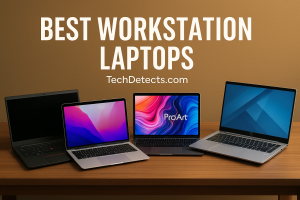
Best Laptops for Architects & Architectural Work to Buy in 2026
Architecture software has become much heavier in recent years. Modern workflows often combine AutoCAD, Revit, Archicad, SketchUp, Rhino, 3ds Max, Blender, Lumion, Enscape, V-Ray, and the full Adobe suite on a single machine. That means an architect’s laptop needs more than just a decent CPU – you now want:
- A strong multi-core processor (Intel Core Ultra / Core i7–i9, or Ryzen 7–9)
- A dedicated NVIDIA RTX GPU for real-time views and renders
- At least 16GB RAM (32GB strongly recommended)
- A fast SSD (1TB+) for big project files
- A color-accurate, high-resolution display for drawings and visualizations

This guide focuses on real 2025–2026 hardware that can handle serious architectural work, not just light 2D drafting.
Quick Picks (TL;DR)
- Best Overall for Architects: Dell XPS 16 (RTX 4060/4070) – powerful, premium, and portable 16″ machine.
- Best Mobile Workstation: Lenovo ThinkPad P1 Gen 7 – ISV-certified, pro-grade RTX, lots of RAM and ports.
- Best Display for Visualization: ASUS ProArt P16 / Studiobook 16 OLED – gorgeous color-accurate OLED, creator-focused.
- Best Studio Workhorse: HP ZBook Studio 16 G10 – workstation GPU options, excellent 16″ display.
- Best for Mac-Based Workflows: Apple MacBook Pro 16 (M4 Pro/Max) – quiet, cool, great for Archicad/Vectorworks + Adobe.
- Best Portable Power (Windows): ASUS ROG Zephyrus G14 (RTX 4060/4070) – small footprint, big performance.
- Best Value for Students: Lenovo Legion Slim 5 / Pro 5 (RTX 4060) – great thermals and performance per dollar.
- Best Budget 3D-Capable Option: ASUS TUF Gaming A15 / Acer Nitro 16 (RTX 4050/4060) – affordable entry into serious 3D.
What Architects Should Prioritize
1. CPU (Processor)
- Look for Intel Core Ultra / Core i7–i9 H‑series or AMD Ryzen 7/9.
- For BIM + rendering, more cores help with exports, ray-traced renders, and multitasking.
2. GPU (Graphics)
- Aim for NVIDIA GeForce RTX 4060 or better for 3D, real-time views, and GPU rendering.
- RTX 4070/4080 makes a big difference in Lumion, Enscape, Twinmotion, and Unreal.
3. RAM
- 16GB = minimum for student/light professional use.
- 32GB = sweet spot for Revit + rendering + Adobe multitasking.
- 64GB+ if you work with very heavy scenes or large multi-building BIM models.
4. Storage
- Prefer 1TB SSD minimum; architecture projects, references, and assets eat space quickly.
- If possible, choose laptops with two M.2 slots so you can add a second SSD later.
5. Display
- Size: 15–16″ is ideal for complex plans; 14″ only if you value portability above all.
- Resolution: At least 1920×1200 (FHD+); QHD+ or 3K+ is nicer for dense drawings.
- Panel: IPS or OLED with good color accuracy for visualization work.
6. Ports & Connectivity
- Look for USB‑C / Thunderbolt, HDMI, and at least one USB‑A for older peripherals.
- Bonus: SD card reader is handy for site photos and media imports.
Best Laptops for Architects & Architectural Work
Dell XPS 16 (9640) — Best Overall Laptop for Architects
Why it’s great: The latest XPS 16 combines Intel Core Ultra CPUs with up to an NVIDIA GeForce RTX 4070 in a slim, premium chassis. The 16.3″ display (FHD+ or high‑res OLED options) gives generous canvas space for plans, sections, and 3D views without being as bulky as full-blown workstations.
Best for: Architects who want a powerful yet stylish main machine for studio, client meetings, and travel.
Specs to target:
- CPU: Intel Core Ultra 7 / Ultra 9
- GPU: RTX 4060 or 4070
- RAM: 32GB
- Storage: 1TB+ SSD
- Display: 16″ FHD+ or 3.2K/OLED, 16:10 aspect
Why architects like it: Great blend of performance, battery life, and display quality in a machine that still looks professional in front of clients.
Lenovo ThinkPad P1 Gen 7 — Best Mobile Workstation
Why it’s great: The ThinkPad P1 line is a classic in architecture and engineering firms. The Gen 7 brings Intel Core Ultra processors and NVIDIA RTX workstation/Geforce options, with ISV certifications for software like AutoCAD, Revit, and more. You also get a robust keyboard, great port selection, and a chassis designed for long-term reliability.
Best for: Architects and offices that want workstation reliability and certifications, especially for Revit-heavy workflows.
Specs to target:
- CPU: Intel Core Ultra 7 / Ultra 9 H‑series
- GPU: NVIDIA RTX 2000/3000/4000 Ada or GeForce RTX 4060/4070 (varies by config)
- RAM: 32–64GB
- Storage: 1–2TB SSD (dual M.2 if possible)
- Display: 16″ QHD+ or 4K, 16:10
Why architects like it: A true workstation laptop that still manages to stay relatively thin and light for site visits.
ASUS ProArt P16 / ProArt Studiobook 16 OLED — Best Display for Visualization
Why it’s great: The ProArt lineup is built for creators. The ProArt P16 / Studiobook 16 OLED offers a high‑resolution OLED panel with wide color-gamut coverage, perfect for visualizing materials, lighting, and renders. Paired with Ryzen AI or Intel CPUs and up to RTX 4070, it’s a powerhouse for both 3D and post-production work.
Best for: Architects who also handle visualization, animation, and color-critical presentations.
Specs to target:
- CPU: AMD Ryzen 9 / Intel Core Ultra H‑series
- GPU: RTX 4060 or 4070
- RAM: 32GB
- Storage: 1–2TB SSD
- Display: 16″ OLED, QHD+/3K/4K, factory-calibrated
Why architects like it: Amazing screen quality for renders and diagrams, plus creator-focused features like dial/shortcut tools in some variants.
HP ZBook Studio 16 G10 — Best Studio Workhorse
Why it’s great: The ZBook Studio line targets professionals who need workstation-grade power in a sleek chassis. With Intel Core i7/i9 H‑series chips and GPU options ranging from RTX 4070 to RTX 4000 Ada, it’s built to chew through BIM, 3D, and video editing workloads.
Best for: Architects in studio environments who want a laptop that can replace a desktop for heavy projects.
Specs to target:
- CPU: Intel Core i7/i9 H‑series
- GPU: GeForce RTX 4070 or RTX 4000 Ada
- RAM: 32–64GB
- Storage: 1–2TB SSD
- Display: 16″ QHD+ or 4K (IPS or OLED)
Why architects like it: Strong performance, ISV focus, and displays that are bright and color-accurate enough for serious work.
Apple MacBook Pro 16 (M4 Pro/Max) — Best for Mac-Based Architecture Workflows
Important note: Many Autodesk tools (like Revit and 3ds Max) still do not run natively on macOS, so this is best for offices built around Archicad, Vectorworks, SketchUp (Mac), Rhino (Mac), Blender, Twinmotion, and the Adobe suite.
Why it’s great: The latest M4 Pro / M4 Max MacBook Pro 16 offers excellent CPU+GPU performance, long battery life, and a stunning mini‑LED display with accurate color and high brightness. It stays very quiet and cool even under sustained workloads.
Best for: Architects using Mac-friendly CAD/BIM tools plus heavy Adobe/visualization work.
Specs to target:
- SoC: M4 Pro (balanced) or M4 Max (for heavy 3D)
- RAM (unified): 32GB or 48GB+
- Storage: 1–2TB SSD
- Display: 16″ Liquid Retina XDR (mini‑LED)
Why architects like it: Fantastic screen, battery, and thermals, plus best-in-class trackpad and speakers – great for remote work and client presentations.
Note: Apple introduced a new 14-inch MacBook Pro (M5) on October 15 2025. It’s a lighter, AI-enhanced model offering faster storage and improved efficiency—ideal for portable creative workflows. See the detailed comparison here: MacBook Pro M5 vs M4 – Apple’s AI Leap Compared
ASUS ROG Zephyrus G14 — Best Portable Power (Windows)
Why it’s great: The G14 manages to squeeze Ryzen 9 CPUs and RTX 4060/4070 GPUs into a highly portable 14″ chassis with surprisingly good cooling. For architecture students and mobile professionals who move between home, campus, and office, this is an ideal “carry everywhere” powerhouse.
Best for: Students and architects who value portability but still need serious 3D and rendering performance.
Specs to target:
- CPU: AMD Ryzen 9
- GPU: RTX 4060 or 4070
- RAM: 32GB (or 24GB+ depending on config)
- Storage: 1TB SSD
- Display: 14″ QHD+ 120–165 Hz (good color coverage)
Why architects like it: Small enough to actually carry daily, powerful enough for Revit, Rhino, Blender, and Unreal.
Lenovo Legion Slim 5 / Legion Pro 5 — Best Value for Students & Young Professionals
Why it’s great: Legion laptops are popular because they offer strong thermals, clean designs, and excellent performance per dollar. Configs with RTX 4060 plus Ryzen or Intel H‑series chips are perfect for architecture students doing both CAD and rendering.
Best for: Students and young professionals who want maximum performance for the price without going full workstation.
Specs to target:
- CPU: Ryzen 7 / Intel Core i7 H‑series
- GPU: RTX 4060
- RAM: 16–32GB
- Storage: 1TB SSD
- Display: 15.6–16″ QHD 165 Hz, good color coverage
Why architects like it: Excellent thermals and value, so performance stays consistent in long Revit/Render sessions.
ASUS TUF Gaming A15 / Acer Nitro 16 — Best Budget 3D-Capable Options
Why they’re great: These “gaming” laptops deliver RTX 4050/4060 GPUs and modern CPUs at prices more approachable for students or new graduates. While the chassis and screens are more budget-oriented, they will run AutoCAD, Revit, SketchUp, and real-time render engines far better than integrated graphics.
👉 Buy on ASUS TUF Gaming A15 Amazon
Best for: Tight budgets where 3D capability matters more than premium build.
Specs to target:
- CPU: Ryzen 7 / Intel Core i5–i7 H‑series
- GPU: RTX 4050 or 4060
- RAM: 16GB (upgradeable to 32GB if possible)
- Storage: 512GB–1TB SSD
- Display: 15.6–16″ FHD/QHD, at least 100% sRGB if you can find it
Why architects like them: A cost-effective way to get into GPU-accelerated workflows without overspending.
Comparison Table (At a Glance)
| Laptop | CPU Class | GPU | RAM (recommended) | Screen Size | Ideal User |
|---|---|---|---|---|---|
| Dell XPS 16 | Intel Core Ultra | RTX 4060/4070 | 32GB | 16″ | All-round architect laptop |
| ThinkPad P1 Gen 7 | Intel Core Ultra | RTX / RTX Ada | 32–64GB | 16″ | Pro workstation users |
| ASUS ProArt P16 / Studiobook 16 | Ryzen 9 / Core Ultra | RTX 4060/4070 | 32GB | 16″ OLED | Visualization-heavy work |
| HP ZBook Studio 16 G10 | Intel i7/i9 H | RTX 4070/RTX Ada | 32–64GB | 16″ | Studio workhorse |
| MacBook Pro 16 (M4 Pro/Max) | Apple M4 Pro/Max | Integrated (very strong) | 32GB+ | 16″ mini‑LED | Mac-based workflows |
| ASUS ROG Zephyrus G14 | Ryzen 9 | RTX 4060/4070 | 32GB | 14″ | Portable performance |
| Lenovo Legion Slim 5 / Pro 5 | Ryzen 7 / Intel i7 | RTX 4060 | 16–32GB | 15.6–16″ | Best value for students |
| ASUS TUF A15 / Acer Nitro 16 | Ryzen 7 / Intel i5–i7 | RTX 4050/4060 | 16GB+ | 15.6–16″ | Budget 3D-capable |
Buying Tips for Architects & Students
- Check your software list first: Make sure your main tools (Revit, Archicad, Rhino, etc.) are supported on the OS you choose (Windows vs macOS).
- Don’t cheap out on RAM: If budget allows, go 32GB from day one – it pays off quickly in Revit + Adobe multitasking.
- Prioritize GPU if you render a lot: For heavy visualization, an RTX 4070+ is more useful than a minor CPU bump.
- Get a good external monitor: Even with a great laptop, a 27–32″ QHD/4K external display makes studio work more comfortable.
- Plan for upgrades: On Windows machines, check if RAM and SSD are user-upgradeable so the laptop can grow with your projects.
- Thermals matter: Thin-and-light is nice, but for long renders, laptops with good cooling (Legion, Zephyrus, ProArt, ZBook, P1) will stay faster.
Final Thoughts
A great architecture laptop needs to be more than “a gaming laptop with AutoCAD installed.” It has to juggle BIM, 3D modeling, real-time visualization, and presentation work without choking.
- For most architects, the Dell XPS 16 or Lenovo ThinkPad P1 Gen 7 are the best all-round choices.
- Visualization-heavy users will love the ASUS ProArt P16 / Studiobook 16 OLED or HP ZBook Studio.
- Students and early-career architects can start strong with Legion Slim 5 / Pro 5 or Zephyrus G14, and upgrade over time.
Choose the one that matches your software stack, mobility needs, and budget, and it should serve you well for years of studio work, site visits, and late-night deadline marathons.