Best Laptops for Digital Art (2026) — Drawing, Illustration, and Creative Workflows
A great digital‑art laptop is a mix of pen feel, screen quality, and workflow convenience.
Some artists want a true “draw directly on the screen” experience (2‑in‑1s and creative hinge designs). Others want raw performance and color accuracy, and they pair a powerful laptop with a pen display or pen tablet.

This guide is built around real artist priorities:
- Natural pen feel (low jitter, good palm rejection, usable tilt)
- A screen you can trust (brightness + color accuracy)
- A form factor that doesn’t fight you (easel/canvas modes, stable hinges)
- Enough performance for your apps (Photoshop, Clip Studio, Illustrator, Blender, ZBrush, After Effects)
Quick Picks
- Best overall “draw-on-screen” laptop: Microsoft Surface Laptop Studio 2
- Best portable 2‑in‑1 for sketching + notes: Lenovo Yoga 9i 2‑in‑1 (Aura Edition)
- Best creator laptop when you don’t need a pen screen: MacBook Pro (Pro/Max) + pen tablet
- Best creator performance + OLED screen (Windows): ASUS ProArt Studiobook 16 OLED / ProArt P16
- Best for multitasking artists (dual workspace): ASUS Zenbook Duo (OLED)
- Best “big canvas” 16-inch 2‑in‑1 option: HP OmniBook X Flip 16 (stylus-friendly)
What Matters Most for Digital Art (The Expert Checklist)
1) Pen experience: the part that makes or breaks it
Not all pens feel the same. Look for:
- Low jitter at slow strokes (especially diagonals)
- Good palm rejection (your hand resting shouldn’t cause random marks)
- Tilt support (useful for shading and brush angle)
- Comfortable inking latency (feels “close to paper,” not delayed)
Also check whether the pen is included or sold separately.
2) Display quality: color accuracy beats raw resolution
For digital art, the best screens are:
- Bright enough for daylight work
- Color accurate (good factory calibration helps)
- Wide color coverage (helpful if you print or do client work)
OLED can look stunning, but IPS can be excellent too if it’s bright and calibrated.
3) Hinge and stability: you need a stable “canvas”
A drawing laptop should hold its position.
- Convertibles are convenient, but some hinges wobble.
- Easel/canvas designs often feel more stable.
4) Performance: choose based on your app
- 2D illustration (Clip Studio, Photoshop): CPU + RAM + SSD matter most
- Large canvases / heavy brushes: more RAM helps a lot
- 3D art (Blender, ZBrush, rendering): GPU becomes important
Rule of thumb:
- 16GB RAM is okay for entry-level
- 32GB RAM is the safer “serious artist” baseline
- 64GB RAM is for heavy 3D / massive files / multi‑app workflows
Best Laptops for Digital Art (2026)
Microsoft Surface Laptop Studio 2 — Best Overall Draw‑On‑Screen Laptop
Why it’s here: This is one of the best “one device that does everything” options for artists. The screen design is genuinely useful: you can work like a normal laptop, then pull the display forward into a stable easel mode, or lay it down for a flatter studio surface.
Who it’s for: Artists who want the most natural laptop-based drawing experience without carrying a separate tablet.
What it nails
- Easel/canvas modes that feel purpose-built for drawing
- Great touch experience with a strong pen workflow
- Plenty of performance for illustration + creative apps
Trade-offs: Premium pricing, and it’s not the lightest option.
Lenovo Yoga 9i 2‑in‑1 (Aura Edition) — Best Portable 2‑in‑1 for Digital Artists
Why it’s here: Some artists want a lightweight, elegant 2‑in‑1 that works for sketching, notes, and daily carry. The Yoga 9i 2‑in‑1 (Aura Edition) adds a more “drawing-friendly” convertible approach with a stylus-first design and a high-quality OLED touch panel.
Who it’s for: Students, creators, and anyone who wants a premium 2‑in‑1 that’s good for drawing and life.
What it nails
- Excellent OLED touchscreen experience
- Great “carry everywhere” form factor
- Strong for illustration, design, and note-heavy workflows
Trade-offs: Not built for heavy 3D rendering like thicker creator workstations.
ASUS ProArt Studiobook 16 OLED — Best Windows Creator Laptop (Display + Power)
Why it’s here: If your digital art includes 3D, heavy Photoshop files, or motion graphics, you’ll appreciate a creator laptop that pairs a beautiful OLED screen with serious CPU/GPU performance.
Who it’s for: Artists doing 2D + 3D, motion design, and demanding creative work who want a strong Windows workstation‑style laptop.
What it nails
- Gorgeous OLED display for color-critical work
- Strong performance for Adobe apps and 3D workflows
- Built as a creator machine (not just a “pretty laptop”)
Trade-offs: It’s a creator powerhouse first — not always the best pen‑first drawing device.
ASUS ProArt P16 — Best “Portable Studio” Option
Why it’s here: If you want a lighter creator laptop that still feels like a proper workstation on the move, ProArt P16 is built for that “mobile studio” vibe: strong performance, serious display, and creator‑friendly design.
Who it’s for: Traveling artists and creators who need performance and an excellent screen in a more portable package.
What it nails
- Strong creator performance without going ultra‑bulky
- Great screen for creative work
- Practical port selection for real workflows
Trade-offs: Not as “draw-on-screen first” as Surface-style designs.
ASUS Zenbook Duo (OLED) — Best for Multitasking Artists
Why it’s here: Digital art isn’t just drawing — it’s reference images, layers, brush panels, timelines, chat, and file management. Dual-screen laptops give you a workflow advantage when you’re constantly switching.
Who it’s for: Artists who love having reference, tools, and canvases visible at the same time.
What it nails
- Massive workflow efficiency for multitasking
- Great for reference + canvas + tool panels
- Excellent for video editing and creative organization
Trade-offs: The dual-screen format is a preference — some people love it, some don’t.
MacBook Pro (Pro/Max) + Pen Tablet — Best “Professional Creator” Alternative
Why it’s here: If you don’t need to draw directly on the laptop screen, this is one of the strongest setups you can buy: a MacBook Pro for performance and battery, plus a pen tablet/pen display for the drawing experience.
Who it’s for: Artists who want top-tier performance, best-in-class battery, and a mature creator ecosystem — and are happy using a tablet for pen input.
What it nails
- Incredible performance per watt + battery life
- Extremely strong for creative apps and editing workflows
- Premium screen quality and build
Trade-offs: Not a built-in pen screen. If you want “draw directly on the laptop,” choose a pen-first Windows design.
HP OmniBook X Flip 16 — Best Big-Screen 2‑in‑1 Canvas
Why it’s here: A 16-inch 2‑in‑1 gives you a larger canvas for drawing and layout work. If you want “more room” without going to a separate display, a large flip design can be a great middle ground.
Who it’s for: Artists who want a bigger touch canvas for sketching, storyboards, and design.
What it nails
- Big canvas feel for drawing and layout
- Strong everyday usability
Trade-offs: Larger convertibles can be awkward to hold; they’re best used on a desk.
Choosing the Right Laptop by Your Art Style
You want the best draw-on-screen experience
- Surface Laptop Studio 2
- Lenovo Yoga 9i 2‑in‑1
You want the best display + performance for creative work
- ASUS ProArt Studiobook 16 OLED
- ASUS ProArt P16
You want the best creator laptop overall (but you’ll use a tablet)
- MacBook Pro + pen tablet/pen display
You want workflow speed (reference + canvas + tools)
- ASUS Zenbook Duo (OLED)
Practical Buying Tips (Save Yourself the “Wrong Config” Trap)
- Don’t buy a creator laptop with 8GB RAM. It will bottleneck you fast.
- For serious art + multitasking, aim for 32GB RAM.
- Prioritize a good screen over chasing the newest CPU.
- If you do 3D, prioritize GPU (and cooling) over “thin and pretty.”
- If you draw daily, prioritize hinge stability and pen feel over everything.
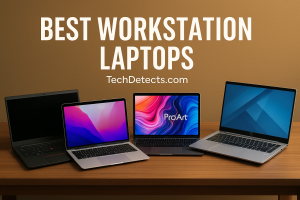
Recommended Reading: Best Workstation Laptops — Mobile Powerhouses for Engineering, 3D, and Professional Work
Conclusion
The best laptop for digital art depends on how you create.
If you want the most natural “draw directly on the screen” laptop experience, Surface Laptop Studio 2 is still the most satisfying all‑in‑one choice.
If you want a premium, portable 2‑in‑1 that’s great for sketching and daily life, the Lenovo Yoga 9i 2‑in‑1 (Aura Edition) is one of the most appealing artist-friendly convertibles.
And if your priority is serious creator performance with a top-tier display, ASUS ProArt laptops are built for that world.