Best Monitor Arms (2026) — Single, Dual & Ultrawide Desk Mounts That Don’t Sag
A good monitor arm does three things better than any “ergonomic accessory”:
- Fixes posture instantly (screen at eye level, no hunching)
- Frees desk space (keyboard, notebook, mic arm, whatever)
- Makes your setup feel premium (smooth motion, clean cables, no wobble)
In 2026, the market is flooded with cheap gas-spring arms that look identical — but the difference between “nice for a month” and “still rock-solid in two years” is tension quality, joint rigidity, and load range.
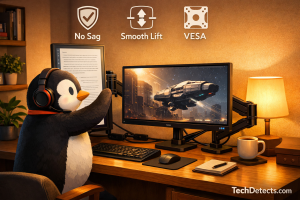
This guide focuses on arms that are actually worth buying, plus exactly what to check so you don’t end up with a droopy screen.
Quick Picks
- Best overall single monitor arm: Ergotron LX (Desk Mount)
- Best for heavy ultrawides (34–49″) and big monitors: Ergotron HX + HD Pivot
- Best premium minimal look: Herman Miller Flo (or Flo X for heavier screens)
- Best “clean integration” option for Dell users: Dell Pro Single Monitor Arm MSA20
- Best dual-monitor arm for most people: Vari Dual-Monitor Arm
- Best value budget arm that still works: Amazon Basics Monitor Arm
- Best budget gas-spring alternative: VIVO Pneumatic Single Monitor Arm (STAND-V001Q)
How to Choose a Monitor Arm (Without Regretting It)
1) Start with your monitor’s real weight
Don’t guess. Look up the monitor weight with the stand removed (most product pages list both). Then compare to the arm’s supported range.
Rule of thumb:
- Aim for an arm where your monitor sits in the middle of the range, not at the edge.
- If your monitor is near the arm’s max rating, expect more bounce and drift.
2) Check VESA compatibility
Most monitors are VESA 75×75 or 100×100. If your monitor uses something larger (or has no VESA), you may need an adapter.
3) Clamp vs grommet: pick the right mount for your desk
- Clamp mount: easiest, no drilling.
- Grommet mount: stronger + cleaner, but needs a hole.
Important: verify your desk thickness matches the clamp range.
4) Gas spring vs mechanical (the “feel” difference)
- Gas spring arms: easiest to adjust, best for sit/stand desks.
- Mechanical arms: can feel firmer and have less “springy” bounce.
5) Know when you need a heavy-duty arm
If you have any of these:
- 34″ ultrawide with aggressive curve
- 38–49″ super-ultrawide
- heavy creator monitors
…you want a heavy-duty arm designed for it. Otherwise you’ll get sag, tilt drift, or wobble.
Best Monitor Arms to Buy in 2026
Ergotron LX (Desk Mount) — Best Overall Single Monitor Arm
Why it’s here: The Ergotron LX is the classic “buy once, enjoy forever” arm. It’s smooth, stable, doesn’t feel flimsy, and handles the most common monitor sizes without drama.
Who it’s for: Anyone running a single 24–34″ display who wants a durable arm with consistent motion.
What it solves:
- Stops neck strain by getting the screen to proper height
- Easy portrait/landscape switching
- Clean cable routing without hanging spaghetti
Trade-offs: Costs more than generic arms, but you feel it in stability and longevity.
Best setup tip: Pair with a sturdy desk (or use grommet) if you hate screen wobble.
Ergotron HX + Heavy-Duty Pivot — Best for Ultrawide and Heavy Monitors
Why it’s here: If you’re mounting a big curved ultrawide (especially 49″ class), most arms will either sag or drift over time. HX is built for the job — and the heavy-duty pivot is the key piece for certain extra-heavy or aggressively curved panels.
Who it’s for: Ultrawide owners, creators, traders, and anyone who wants “move it with one hand” control on a heavy screen.
What it solves:
- No droop with heavy curved ultrawides
- Stable tilt that stays where you put it
- Smooth repositioning without fighting the arm
Trade-offs: Expensive and physically large. Overkill for light 24–27″ monitors.
Buying note: If your monitor is a super-ultrawide or very heavy, make sure you’re getting the HX configuration that includes (or supports) the heavy-duty pivot.
Herman Miller Flo (or Flo X) — Best Premium Minimal Look
Why it’s here: Flo looks like it belongs in a high-end studio or executive setup. Motion is clean, cable management is tidy, and it doesn’t scream “gamer accessory.” Flo X is the heavier-duty option if your monitor is weighty.
Who it’s for: People who care about aesthetics, clean motion, and long-term build quality.
What it solves:
- Premium feel without bulky industrial looks
- Smooth height/reach changes for shared desks
- Excellent cable management
Trade-offs: Price. You pay for design and refinement.
Dell Pro Single Monitor Arm (MSA20) — Best for Clean, No-Fuss Setup (Especially for Dell Monitors)
Why it’s here: The MSA20 is underrated because it’s “boring” — and that’s exactly why it’s great. The install is straightforward, the movement is solid, and it’s a clean match for Dell displays and offices.
Who it’s for: Home office users, corporate setups, and anyone who wants a reliable arm without spending on the ultra-premium tier.
What it solves:
- A clean, professional look
- Reliable adjustment and positioning
- Easy clamp/grommet style mounting
Trade-offs: Not the best choice for extremely heavy ultrawides.
Vari Dual-Monitor Arm — Best Dual Arm for Most People
Why it’s here: Dual monitor arms can turn into a wobble-fest if the pole and joints aren’t rigid enough. Vari’s dual arm is a strong balance: stable, easy to install, and adjusts well for side-by-side productivity.
Who it’s for: Anyone running two monitors (especially 24–27″) who wants a clean dual setup.
What it solves:
- Proper dual alignment without desk clutter
- Easier “symmetry” than mixing two single arms
- Smooth movement with tension control
Trade-offs: For very large/heavy dual monitors, you may prefer two heavy-duty singles.
Amazon Basics Monitor Arm — Best Budget Pick That Still Works
Why it’s here: The Amazon Basics arm is popular because it does the fundamentals right at a lower price. If you want to get your screen off the desk without paying premium money, it’s a safe starting point.
Who it’s for: Budget setups, students, and anyone testing whether they even like monitor arms.
What it solves:
- Frees desk space instantly
- Basic height/tilt/swivel adjustments
- Cable routing without extra accessories
Trade-offs: Not as refined and may have more bounce than premium arms.
VIVO Pneumatic Single Monitor Arm (STAND-V001Q) — Best Low-Cost Gas-Spring Alternative
Why it’s here: If you want gas-spring adjustability without premium pricing, VIVO is one of the most common “good enough” picks. Great for light-to-medium monitors.
Who it’s for: People who want a smooth-up/down arm for a normal 24–32″ monitor on a tight budget.
What it solves:
- One-hand height adjustments
- Portrait mode for coding/reading
- Better ergonomics than a fixed stand
Trade-offs: Expect more flex than high-end arms, especially at the farthest extension.
Choosing the Right Arm by Setup Type
Single monitor (24–34″)
- Best overall: Ergotron LX
- Best value: Amazon Basics
- Best budget gas-spring: VIVO STAND-V001Q
Heavy ultrawide (34–49″)
- Best: Ergotron HX + HD Pivot
Dual monitors (24–27″)
- Best dual: Vari Dual-Monitor Arm
- If you want maximum stability: two single arms (often beats one dual for heavy screens)
Premium studio / minimalist aesthetic
- Best: Herman Miller Flo / Flo X
Installation Tips (The Stuff People Get Wrong)
- Clamp placement: Don’t clamp to a flimsy desk edge. Reinforce if needed.
- Tension tuning: After mounting the monitor, adjust tension until it holds position.
- Cable slack: Leave a gentle loop so the arm can move without yanking cables.
- Desk thickness check: Many arms fail simply because the clamp doesn’t match the desk.
Conclusion
A monitor arm is one of the few upgrades that improves your setup every single day.
If you want one safe recommendation that rarely disappoints: Ergotron LX.
If you have a heavy ultrawide and you hate sagging: Ergotron HX + HD Pivot.
And if you’re building a clean dual-monitor workstation: Vari Dual-Monitor Arm.
If you tell me your monitor model(s) and desk type (thin IKEA top vs solid wood, clamp vs grommet), I’ll tell you the exact best arm and whether you need reinforcement.
Recommended Reading: Best Laptops for Creators – Top Picks for Editing