Best PS5 Accessories (2026): Must-Haves for Better Gaming
The PS5 is already great.
But the right accessories are what turn it into a setup you genuinely love using:
- controllers always charged
- storage that doesn’t force you to delete games
- audio that finally matches the visuals
- comfort upgrades that make long sessions easy
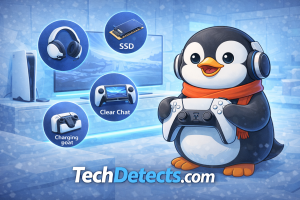
This guide is a real-world shortlist of the best PS5 accessories to buy in 2026—picked for reliability, value, and what actually improves day-to-day gaming.
Quick picks (TL;DR)
- Best must-buy accessory for most people: DualSense Charging Station (or a good 2‑controller dock)
- Best “serious gamer” controller upgrade: DualSense Edge
- Best headset upgrade (PlayStation-first): PULSE Elite
- Best way to stop deleting games: 1–2TB M.2 NVMe SSD (Gen4 + heatsink)
- Best remote-play accessory: PlayStation Portal
- Best immersion accessory: PS VR2
- Best couch convenience: Media Remote
How we picked (so you don’t waste money)
I filtered accessories using five practical rules:
- It must improve the daily PS5 experience, not just look cool.
- It must be compatible without drama (setup, wireless stability, fit).
- It must have a strong upgrade-to-cost ratio.
- It must solve a common pain (storage, charging, chat, comfort).
- It must make sense globally (availability and universal value).
Best PS5 Accessories (2026)
DualSense Charging Station (or a quality 2‑controller charging dock) — The #1 quality-of-life upgrade
Why it’s here: This is the boring accessory that makes your PS5 feel premium every single day. No cable hunt. No “controller died mid-match.” You just pick it up and play.
Who it’s for: Anyone with a PS5, especially families and co‑op players.
What it solves:
- Always-charged controllers
- Cleaner setup (no messy cables)
- Better controller battery habits (short top-ups)
Trade-offs: None, honestly—just choose a dock with stable contact pins and clear charging indicators.
DualSense Edge — Best pro-level controller upgrade
Why it’s here: This is the PS5 controller for players who care about performance and customization. Back buttons change how you play shooters and fast action games, and replaceable stick modules are a practical long-term benefit.
Who it’s for: Competitive players, heavy PS5 users, and anyone who wants customization without third‑party compromises.
What it solves:
- Back buttons (thumbs stay on sticks)
- Custom stick/trigger tuning
- Replaceable stick modules (less panic about drift)
Trade-offs: Expensive, and battery life is typically shorter than a standard DualSense. You’re paying for control and customization.
Extra DualSense Controller — Best co‑op + family accessory
Why it’s here: If you have kids, guests, or you play couch co‑op, an extra controller is not optional. It’s also smart to have a “backup” when one needs charging.
Who it’s for: Families, co‑op players, and anyone who plays frequently.
What it solves:
- Seamless co‑op sessions
- Always having a charged spare
Trade-offs: If budget is tight, buy the extra controller first, then the charging dock.
M.2 NVMe SSD (Gen4 + heatsink) — Best storage upgrade
Why it’s here: PS5 game installs are huge. A good internal SSD stops the cycle of deleting/re-downloading. It’s the “quiet hero” upgrade that makes your console feel bigger.
Who it’s for: Anyone with a growing library, PlayStation Plus users, and players with multiple big titles installed.
👉 Buy on Amazon (WD_BLACK SN850P)
👉 Buy on Amazon (Samsung)
What it solves:
- More space for PS5 games (play directly from the SSD)
- Faster library management
- Less storage anxiety
PS5 compatibility checklist (keep it simple):
- PCIe Gen4 x4 M.2 NVMe
- Heatsink required
- Recommended read speed: 5,500MB/s or faster
- Capacity: 1TB or 2TB is the sweet spot for most people
Trade-offs: Don’t cheap out on a no-name drive. Heat and reliability matter.
PlayStation Portal — Best remote-play accessory
Why it’s here: Portal is a “play more” device. It’s for people who can’t always sit at the main TV. It turns small free moments into actual gaming time.
Who it’s for: Parents, shared-TV households, and anyone who wants PS5 gaming in bed or around the house.
What it solves:
- Remote Play convenience
- More total play time without fighting for the TV
Trade-offs: It shines with strong Wi‑Fi. If your home Wi‑Fi is weak, fix the network first.
PULSE Elite — Best PlayStation-first headset upgrade
Why it’s here: This is the headset that makes PS5 audio feel “complete”: great positional cues, low-latency wireless, and a clean PlayStation-centric experience.
Who it’s for: Most PS5 players who want an easy wireless audio upgrade with great in-game directionality.
What it solves:
- Cleaner positional audio for shooters
- Better immersion for single-player games
- Easier chat without speaker echo
Trade-offs: If you want maximum multi-platform switching and deep EQ tinkering, premium third‑party headsets can be more flexible.
PS VR2 — Best immersion accessory
Why it’s here: When VR is good, it’s different—not just “better graphics.” PS VR2 is the accessory that unlocks the most unique experiences you can have on a PS5.
Who it’s for: Players who want new experiences beyond flat-screen gaming.
What it solves:
- Full immersion for VR titles
- A totally different kind of gaming night
Trade-offs: It needs space and a comfort-ready setup. Not every game session is a VR session.
Check out all the Top VR Headsets for Gaming (PC, Console & Standalone).
Media Remote — Best couch convenience accessory
Why it’s here: If your PS5 is also your Netflix/YouTube/streaming hub, a media remote makes it feel like an actual living-room device.
Who it’s for: Households that use PS5 as a media box.
What it solves:
- Easy media navigation
- TV volume/power control in one hand
Trade-offs: You won’t care about it if you never use the PS5 for media.
HD Camera — Best accessory for streaming and content
Why it’s here: If you want face-cam streaming, the official camera is the simplest option. It’s also useful for a clean “creator setup” if you capture gameplay.
Who it’s for: Streamers, creators, and friends who do party chat + streaming.
What it solves:
- Easy face cam setup
- Cleaner “creator” vibe with minimal hassle
Trade-offs: If you’re serious about camera quality, a dedicated capture setup can look better—but it’s also more complex.
A good HDMI 2.1 cable — The small upgrade that prevents big problems
Why it’s here: If you’re using 4K/120, VRR, ALLM, or a modern TV setup, you want a cable that won’t randomly cause black screens, dropouts, or handshake issues.
Who it’s for: Anyone using a 4K/120 or VRR TV/monitor.
What it solves:
- Stability with high bandwidth modes
- Fewer “why did the screen go black?” moments
Trade-offs: You don’t need an overpriced cable. You need a good, certified one.
Might want to check out: Best HDMI Cables for Monitors
Console stand / cooling-friendly placement — Best “keep it safe” accessory
Why it’s here: The PS5 runs best with airflow. A stable placement also protects it from accidental bumps—especially with kids.
Who it’s for: Anyone with pets/kids or tight entertainment spaces.
What it solves:
- Better stability (vertical or horizontal)
- Cleaner airflow and safer placement
Trade-offs: Don’t buy noisy “fan stands.” Airflow and stability matter more than gimmicks.
Best PS5 accessory bundles (choose one)
The “New PS5 Owner” bundle
- DualSense Charging Station
- Extra DualSense Controller
- Good headset (PULSE Elite or value pick)
The “Stop deleting games” bundle
- 1TB or 2TB internal M.2 SSD (Gen4 + heatsink)
- Charging Station
The “I can’t use the TV all the time” bundle
- PlayStation Portal
- Headset (so you don’t disturb others)
The “I want the best experience” bundle
- DualSense Edge
- PULSE Elite
- Internal SSD
Conclusion
The best PS5 accessories in 2026 aren’t the flashy ones—they’re the upgrades you feel every time you play.
If you buy nothing else, start with a charging dock and (if needed) an extra DualSense. Then fix your biggest pain:
- deleting games → internal M.2 SSD
- shared TV / busy house → PlayStation Portal
- weak audio → PULSE Elite
- wanting a completely new kind of gaming → PS VR2
Buy based on your real life, not the hype—and your PS5 will feel like an upgraded console.