Best VR‑Ready Laptops (2026): Smooth PCVR Performance Picks
VR is the fastest way to expose a weak laptop.
Flat‑screen gaming can hide stutters. VR can’t.
In a headset, your laptop has to deliver high, consistent frame rates (and do it for long sessions) while pushing two high‑resolution views, handling tracking, and keeping latency low. That’s why “VR‑ready” is less about peak benchmark scores and more about:
- GPU class (and VRAM)
- cooling / sustained wattage (the difference between “looks great” and “why is it choppy?”)
- the right ports routed to the dGPU (so your headset actually runs properly)
- reliability (VR sessions are long; thermal throttling ruins the vibe)
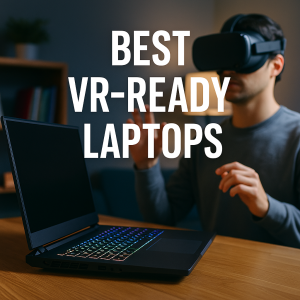
This guide shortlists the best VR‑ready laptops you can buy for PCVR headsets, VR development, and high‑end VR sims.
Quick picks (choose your VR lane)
- Best overall VR laptop: ASUS ROG Strix SCAR 16 (2025/2026 configs)
- Best sustained VR performance (desktop‑replacement): MSI Raider 18 HX AI
- Best balance of power + price: Lenovo Legion Pro 7i (16″)
- Best premium “do it all” VR + creator pick: ASUS ProArt P16
- Best portable VR laptop: ASUS ROG Zephyrus G14
- Best mid‑range VR laptop: Alienware m16 class / VR‑clean I/O models
- Best budget VR‑ready laptop: Dell G16 (right configs)
- Best upgradeable long‑term pick: Framework Laptop 16 (verify port path)
What “VR‑ready” actually means (2026 edition)
1) Your GPU tier matters more than your CPU
VR is GPU‑heavy.
- Minimum I’d call VR‑ready in 2026: RTX 4060 / RTX 4070 class (entry PCVR, lighter titles)
- Sweet spot for smooth VR: RTX 4080 / 5070 Ti class and up
- High‑end / sim VR (racing/flight): RTX 4090 / 5080 / 5090 class
2) VR loves VRAM (and it hates stutter)
Higher headset resolutions and sharper texture packs can chew VRAM fast. If you’re doing serious VR sims, VR dev work, or ultra settings, more VRAM = fewer headaches.
3) Ports can make or break your headset
A surprising number of “powerful” laptops trip up here. For VR, you want:
- HDMI 2.1 and/or USB‑C DisplayPort (DP Alt Mode)
- Ideally routed to the dedicated GPU (dGPU), not only the integrated GPU
- Enough USB bandwidth (especially if your headset needs USB + display)
4) Cooling is the difference between “VR‑capable” and “VR‑great”
VR sessions are long. A thin laptop that looks amazing in a 30‑second benchmark can feel awful after 20 minutes in a headset.
Best VR‑Ready Laptops (2026)
ASUS ROG Strix SCAR 16 — Best overall VR‑ready laptop
Why it’s here: This is the kind of machine VR actually wants: top‑tier GPUs, strong cooling, and VR‑friendly outputs that make headset hookup straightforward.
Who it’s for: Anyone who wants high‑end PCVR without turning their desk into a troubleshooting lab.
What it solves:
- High FPS with strong headroom for demanding VR
- Better sustained performance (less thermal drama)
- Clean port options for headsets
Trade-offs: Premium pricing, and it’s not “small bag friendly.”
MSI Raider 18 HX AI — Best sustained VR performance (desktop‑replacement)
Why it’s here: VR loves big chassis laptops because they can keep the GPU running hard without cooking themselves. The Raider 18 style laptops are built for long, heavy loads.
Who it’s for: VR sim fans (racing/flight), streamers, and anyone who cares about steady performance more than portability.
What it solves:
- Better long‑session performance consistency
- Strong thermals for demanding VR games
- Great if you’re also capturing/streaming VR
Trade-offs: Big, heavy, and the “portable” part of laptop life is limited.
Lenovo Legion Pro 7i (16″) — Best balance of power, ports, and price
Why it’s here: This is one of the most consistent “buy it, plug in, enjoy VR” picks—strong cooling, powerful configs, and I/O that generally plays well with VR use.
Who it’s for: Most people who want a high‑end VR laptop without paying ultra‑premium boutique pricing.
What it solves:
- Strong VR performance without overthinking specs
- Solid cooling for long sessions
- Great “value per frame” for VR
Trade-offs: Still not light. Like most powerful gaming laptops, you’re trading portability for performance.
Acer Predator Helios 16 AI — Best high‑end alternative pick
Why it’s here: A strong VR option if you want top GPU configs but prefer a different “feel” than the usual Legion/ROG crowd.
Who it’s for: Buyers who want flagship VR specs with a more aggressive gaming laptop identity.
What it solves:
- Flagship‑level VR performance
- Strong screen options (nice for non‑VR work)
Trade-offs: Fans and weight—typical for high‑power laptops.
HP Omen Max 16 — Best high‑power value pick (when priced right)
Why it’s here: When Omen Max configurations land at the right price, they can be a great way to get serious VR performance without paying “luxury tax.”
Who it’s for: Value hunters who still want a real VR laptop (not an entry‑level compromise).
What it solves:
- High performance for demanding VR games
- Good “specs for money” in many regions
Trade-offs: Like all gaming laptops, specific configs matter a lot—choose GPU tier first.
ASUS ProArt P16 — Best for creators who also do VR
Why it’s here: If you’re a creator (3D, video, design) and also want VR‑capable power, ProArt machines can be the sweet spot: creator‑friendly display + serious GPU.
Who it’s for: Creators, VR developers, and anyone who wants “work laptop by day, VR machine by night.”
What it solves:
- Great for VR creation workflows + VR testing
- Premium overall experience for non‑VR work
Trade-offs: Not always the best price‑to‑FPS compared to pure gaming laptops.
ASUS ROG Zephyrus G14 — Best portable VR‑ready laptop
Why it’s here: If you truly care about carrying the laptop daily, the G14 class machines are the rare blend of portability + real GPU power.
Who it’s for: Travelers, students, and anyone who wants VR capability without hauling a brick.
What it solves:
- A portable laptop that can still handle PCVR (in the right configs)
- Great for mixed life: school/work + gaming
Trade-offs: Smaller chassis = less sustained headroom than 16–18″ beasts.
Alienware 16 Area‑51 — Best “premium gaming laptop” VR pick
Why it’s here: Alienware’s high‑end models tend to prioritize the complete gaming experience: power, design, and a strong “plug in and go” vibe.
Who it’s for: Buyers who want a premium VR gaming laptop experience and don’t mind paying for it.
What it solves:
- Strong VR‑capable performance
- Premium build and gaming comfort
Trade-offs: Price and size.
Dell G16 — Best budget VR‑ready laptop (right config)
Why it’s here: If you choose carefully, the G16 class can be a surprisingly strong entry point into PCVR.
Who it’s for: Budget buyers who still want a real dGPU laptop that can do VR.
What it solves:
- Affordable entry into VR gaming
- Good upgrade path with RAM/SSD
Trade-offs: Budget models can vary wildly. Avoid weak GPUs and low RAM configs.
Framework Laptop 16 — Best upgradeable long‑term VR pick
Why it’s here: If you like the idea of upgrading the GPU module later (instead of replacing the whole laptop), Framework is the unique option.
Who it’s for: Tinkerers, long‑term value buyers, and people who want modular upgrades.
What it solves:
- Upgrade path that’s rare in laptops
- Strong long‑term ownership logic
Trade-offs: Verify port routing and adapter choices for your specific headset. VR is picky about display paths.
VR‑ready laptop spec checklist (copy/paste before you buy)
Minimum I recommend for real VR
- GPU: RTX 4060 / RTX 4070 class (or better)
- RAM: 16GB minimum (32GB is better for sims/creators)
- Storage: 1TB SSD (VR libraries get big)
Ideal VR sweet spot
- GPU: RTX 4080 / 5070 Ti class (or better)
- RAM: 32GB
- Ports: HDMI 2.1 + USB‑C DP (dGPU‑routed if possible)
If you’re buying for sim VR (racing/flight)
- GPU: RTX 4090 / 5080 / 5090 class
- Cooling: favor 16–18″ laptops
- Consider a laptop stand / airflow‑friendly placement
Setup tips that make VR smoother instantly
- Keep the laptop plugged in for VR (battery mode can limit performance).
- Update GPU drivers before you troubleshoot anything else.
- Use a stable Wi‑Fi 6E/7 network if you plan wireless PCVR streaming.
- If you get stutter: reduce supersampling first, then shadows, then volumetrics.
Conclusion
A great VR laptop isn’t the one with the loudest specs on paper. It’s the one that delivers stable, high frame rates for long sessions and has headset‑friendly ports that don’t force you into workaround city.
If you want the safest all‑around pick, go ROG Strix SCAR 16. If you want max sustained performance, go MSI Raider 18 HX AI. If you want the best balance of power and value, go Legion Pro 7i. And if you want a VR‑capable laptop you’ll actually enjoy carrying, Zephyrus G14 is the portable winner.
Pick your lane, buy the right GPU tier, and VR becomes smooth—the way it’s supposed to be.
Recommending readings:
Best VR Headsets to Buy — Clear Optics, Smooth Tracking, Real‑World Value