Best Laptops to Buy for Kids in 2026
Buying a laptop for a child is different from buying one for an adult.
Kids need a machine that’s durable, easy to use, and fast enough for school platforms, video lessons, web research, and light creativity (Docs, slides, coding basics, art apps). Parents also care about battery life, safe accounts/parental controls, easy repairs, and—most importantly—not overpaying for power a child won’t use.
This guide focuses on real-world kid needs across age groups, from early grades to teens.

Quick Picks (TL;DR)
- Best for Most Kids (Simple + Safe): ASUS Chromebook CM14 (CM1402) – reliable, affordable, long battery.
- Best Chromebook Upgrade (Fast + Premium): Acer Chromebook Plus Spin 714 (2024) – high performance, great webcam, Thunderbolt.
- Best Big-Screen Value Chromebook: Lenovo IdeaPad Flex 3i Chromebook (15.6″) – 2‑in‑1, roomy display.
- Best Windows 2‑in‑1 for School + Home: Dell Inspiron 14 2‑in‑1 (7440) – touch, flexible, Windows apps.
- Best “Grows With Them” Laptop (Teens): MacBook Air (M4) – long battery, quiet, excellent performance.
- Best Repair-Friendly Choice: Framework Laptop 13 – modular, upgradeable, built to last.
How to Choose a Kid’s Laptop (Without Overthinking)
Pick the OS first
- Chromebook (ChromeOS): Best for most kids. Simple, fast for web + school platforms, strong account controls.
- Windows: Better if the school requires specific Windows apps, printing setups, or you want broader software access.
- macOS: Great for older kids/teens—especially if you want top battery life and premium build.
Choose the right size
- 11–12 inches: easiest to carry; can feel cramped for assignments.
- 13–14 inches: best balance for kids and teens.
- 15–16 inches: good at home; less portable.
Minimum specs that actually matter
- RAM: 8GB is the sweet spot (4GB works on basic Chromebooks but feels tight sooner).
- Storage: 128GB+ SSD for Windows/macOS; Chromebooks can be 64–128GB since cloud storage is common.
- Battery: aim for a real-world full school day.
Parent-friendly must-haves
- Solid hinge + sturdy chassis
- Spill resistance (or a keyboard cover)
- Webcam that isn’t terrible
- Easy charging (USB‑C is ideal)
- A good warranty option
ASUS Chromebook CM14 (CM1402) — Best for Most Kids
Why it’s great: A kid laptop should be simple, affordable, and reliable—this Chromebook nails that. It’s lightweight, handles homework platforms smoothly, and delivers excellent everyday battery life. It’s a strong pick for younger kids and families buying multiple devices.
Best for: Homework, Google Classroom, web research, YouTube learning, lightweight typing practice.
Highlights: 14″ FHD options · efficient MediaTek platform · long battery · simple ChromeOS parental controls.
Acer Chromebook Plus Spin 714 (2024) — Best Chromebook Upgrade
Why it’s great: This is what you buy when you want a Chromebook that feels premium and stays fast for years. The 2‑in‑1 design is great for note‑taking, drawing, and flipping into tent mode for video lessons. The performance jump is noticeable for multitasking and heavier browser workloads.
Best for: Older kids/teens who multitask, do lots of writing, presentations, and video calls.
Highlights: 14″ 2‑in‑1 · newer Intel platform · strong webcam · sturdy build · Thunderbolt support.
Lenovo IdeaPad Flex 3i Chromebook (15.6″) — Best Big-Screen Value
Why it’s great: Some kids simply work better on a bigger screen—especially for split-screen (lesson + notes) or typing longer assignments. This model gives that roomy display with a flexible hinge without jumping to expensive “premium” pricing.
Best for: At-home learning setups, kids who want a larger screen, shared family Chromebook.
Highlights: 15.6″ display · 2‑in‑1 hinge · simple ChromeOS · comfortable for documents.
Dell Inspiron 14 2‑in‑1 (7440) — Best Windows 2‑in‑1 for School
Why it’s great: If your child needs Windows apps (or you just prefer Windows), a 2‑in‑1 is extremely practical. Touch is great for learning apps, handwriting, and casual creativity. The Inspiron 14 2‑in‑1 line has good value configurations and is widely available.
Best for: Schools that require Windows, Microsoft Office workflows, printing/scanners, and wider app compatibility.
Highlights: 14″ touch FHD+ · 2‑in‑1 hinge · Windows 11 · solid keyboard · modern USB‑C charging.
MacBook Air (M4) — Best “Grows With Them” Laptop for Teens
Why it’s great: For teens doing heavier schoolwork, research, presentations, basic video editing, or creative projects, the MacBook Air is a “buy once, keep for years” choice. It’s quiet, has excellent battery life, and stays fast without fuss.
Best for: Teens and older students who want a long-lasting, premium everyday laptop.
Highlights: strong performance · excellent battery · light build · great trackpad · quiet and cool.
Framework Laptop 13 — Best Repair-Friendly Laptop
Why it’s great: If you want to reduce e‑waste and avoid “one accident = replace the whole laptop,” Framework is the standout. It’s designed to be repairable and upgradable. This can be a smart long-term family purchase when you want the laptop to evolve as your child’s needs grow.
Best for: Families who want longevity, repairs, upgrades, and a laptop that can last through multiple school phases.
Highlights: modular design · upgradeable parts · strong long-term value.
Recommended Specs by Age
Ages 6–9 (early grades)
- Chromebook is usually perfect
- 4–8GB RAM
- 11–14″ screen
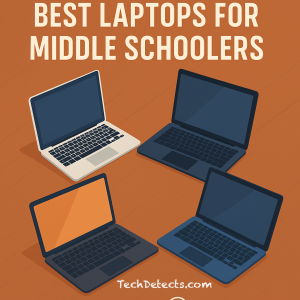
Ages 10–13 (middle school)
- Chromebook Plus or entry Windows 2‑in‑1
- 8GB RAM
- 13–14″ screen
Ages 14–18 (high school / pre-college)
- 8–16GB RAM
- 512GB SSD (Windows/macOS) if they store media
- Consider MacBook Air or a strong Windows laptop
Buying Tips Parents Actually Appreciate
- Get 8GB RAM if possible. It prevents slowdowns as school websites get heavier.
- Buy a protective sleeve + simple case day one. It’s cheaper than a repair.
- Choose a spill-resistant keyboard cover if you have younger kids.
- Don’t chase gaming specs unless the child specifically plays PC games.
- Plan for headphones + a basic mouse. It improves focus and comfort.
You might like to check out the list we have compiled of recommendations for the best drawing tablets for kids.
Final Thoughts
For most kids, a solid Chromebook is the smartest buy—simple, safe, and low-maintenance. If you want a premium Chromebook that stays fast for years, the Acer Chromebook Plus Spin 714 (2024) is a standout. For Windows families, the Dell Inspiron 14 2‑in‑1 gives flexibility and app compatibility. And for teens who need a laptop that can carry them for years, MacBook Air (M4) is a reliable long-term choice.