Best Laptops for Pentesting & Kali Linux (2026) — The Right Picks for Labs, VMs, Wireless Work, and Linux-First Use
A good laptop for Kali Linux is not just a “powerful laptop.”
That is where a lot of buying guides miss the point.
For pentesting, security labs, Linux coursework, CTFs, virtualization, and wireless tooling, what matters is not flashy marketing or gaming aesthetics. What matters is whether the laptop is actually pleasant to use with Linux, reliable with drivers, practical for VMs, comfortable to carry, and smart about ports, storage, upgradeability, and battery life.
And this category has another trap too.
Some people buy a very expensive laptop assuming Kali Linux itself needs huge power. It usually does not. Kali can run with very modest requirements, and OffSec’s documentation says a default desktop install should aim for at least 2GB RAM and 20GB of disk space, while around 60GB of disk allows room for any installation with some extra storage. The hardware demand rises when your workflow rises — virtual machines, containers, multiple browsers, Burp, notes, code editors, packet captures, and larger lab environments. )
That is why this guide focuses on what actually matters for real-world Kali Linux and pentesting use:
- Linux compatibility and fewer driver headaches
- enough RAM and CPU power for VMs and labs
- good keyboards and practical port selection
- upgradeability where it actually matters
- portability for students and professionals on the move
- realistic thinking about Wi-Fi, because internal laptop cards are not always the right answer for monitor-mode work
That last point is important. Kali’s own documentation includes troubleshooting sections for monitor mode, injection, and wireless driver issues, which is a good reminder that wireless workflows can be finicky. In practice, many serious users still keep an external adapter in their kit instead of relying entirely on the laptop’s built-in wireless. )
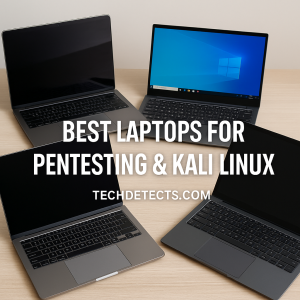
So instead of treating this like a generic “best laptop” roundup, this guide shortlists the laptops that actually make sense for Kali Linux users right now.
Quick Picks
- Best overall for most Kali Linux users: Framework Laptop 13
- Best Linux-friendly business laptop: Lenovo ThinkPad T14 Gen 5 (AMD)
- Best Linux-first lightweight option: System76 Lemur Pro
- Best for bigger labs and more RAM headroom: System76 Darter Pro
- Best premium travel-friendly ThinkPad: Lenovo ThinkPad X1 Carbon Gen 13
- Best upgradeable high-performance option: Framework Laptop 16
- Best Ubuntu-certified workstation-style option: Dell Pro Max 14
What actually matters in a Kali Linux laptop
Linux compatibility matters more than raw specs
For Kali Linux, driver behavior and platform compatibility can matter more than buying the most powerful machine in your budget.
A laptop with slightly lower specs but cleaner Linux support is often a much better buy than a more powerful laptop that gives you:
- suspend/resume issues
- fingerprint reader headaches
- Wi-Fi weirdness
- audio quirks
- BIOS frustrations
- poor Linux firmware support
This is exactly why Ubuntu-certified models, Linux-first vendors, and repairable Linux-aware brands are so relevant here.
Kali itself is lightweight — your workflow usually is not
Kali Linux does not require monster hardware by itself. But realistic pentesting and learning setups often do.
The real load usually comes from:
- multiple VMs
- browsers with many tabs
- Burp Suite or similar tools
- note-taking and terminal multiplexing
- local labs and containers
- packet capture and analysis
That is why 16GB RAM should be treated as the real minimum for a modern Kali laptop, while 32GB starts making much more sense if you will spend serious time in VMs.
Keyboard, ports, and repairability matter more than usual
Pentesting and Linux-heavy workflows often mean:
- more typing
- more terminal work
- more external devices
- more adapters
- more USB use
- more troubleshooting
So this is one category where a practical keyboard and sensible ports matter more than extra thinness.
Internal Wi-Fi is not the whole wireless story
A lot of buyers obsess over the built-in Wi-Fi card.
That matters — but not as much as beginners think.
For many users, the smarter setup is:
- a laptop with strong Linux compatibility overall
- plus an external USB wireless adapter when a specific monitor-mode or injection workflow matters
That is usually more flexible than trying to make one internal card do everything.
Battery life still matters
A Kali laptop does not need to be tiny — but it should still make sense outside a desk.
Students, consultants, researchers, and professionals often want something they can actually carry around campus, a client site, or a conference without regretting it.
That is why the best picks here are not just “the fastest.” They are the ones you are realistically likely to keep using.
Best Laptops for Pentesting & Kali Linux
Framework Laptop 13 — Best Overall for Most Kali Linux Users
Why it’s here: This is one of the smartest Linux laptops on the market right now because it gets the fundamentals right: portability, repairability, upgradeability, and a Linux-friendly mindset.
Who it’s for: Most Kali Linux users, students, lab builders, and professionals who want one clean, sensible laptop that will age well.
What it nails
- excellent repairability and long-term ownership value
- strong Linux focus with official Framework Linux guidance
- modular ports are genuinely useful for technical users
- easy recommendation for people who hate disposable laptops
- great balance of portability and real performance
Real-world experience
The Framework Laptop 13 is one of the few laptops that feels like it was designed by people who understand technically-minded users.
It is not trying to be flashy. It is trying to stay useful.
For Kali Linux, that matters. You get a machine that is easy to live with, easy to repair, easy to adapt, and easy to keep for years. Framework’s official Linux page also documents support expectations and kernel guidance for its current AMD Ryzen AI 300 Series model, which is exactly the kind of transparency Linux users appreciate. )
Trade-offs: It is not the cheapest route, and some buyers wanting maximum VM scale may still prefer a larger machine with more RAM headroom.
Lenovo ThinkPad T14 Gen 5 (AMD) — Best Linux-Friendly Business Laptop
Why it’s here: This is the classic practical pick: solid keyboard, good build, strong Linux credibility, and none of the unnecessary drama that comes with more style-driven laptops.
Who it’s for: Buyers who want a serious, dependable business laptop that plays nicely with Linux and feels like a tool.
What it nails
- Ubuntu certification is a huge confidence boost
- excellent ThinkPad keyboard remains a real advantage for terminal-heavy use
- durable and professional without being oversized
- strong fit for consultants, students, and security professionals
- AMD version is especially attractive for efficient performance
Real-world experience
This is one of the easiest “buy it and get on with your work” recommendations in the category.
Ubuntu’s certification listing confirms support for the ThinkPad T14 Gen 5, including an AMD Ryzen 7 PRO 8840U configuration on Ubuntu 24.04 LTS, and Lenovo also sells the T14 Gen 5 line with Ubuntu Linux in some regions. That makes it one of the safest mainstream laptops for Linux-minded buyers who do not want surprises. )
Trade-offs: Not as modular as Framework, and not as light as the very lightest premium laptops.
System76 Lemur Pro — Best Linux-First Lightweight Option
Why it’s here: If you want a laptop that starts from a Linux-first mindset instead of treating Linux as an afterthought, System76 remains one of the strongest names in the space.
Who it’s for: Users who want portability, long battery life, and a Linux-native ownership experience.
What it nails
- ships from a Linux-focused vendor with strong community credibility
- very light for everyday carry
- excellent battery-focused design for this class
- enough power for typical Kali workflows, terminals, browsers, and lighter VMs
- cleaner Linux-first story than most mainstream brands
Real-world experience
The Lemur Pro is the kind of laptop that makes sense for people who want Kali, Ubuntu, or another Linux setup to feel natural from day one. System76 positions it as a light 14-inch machine with a Core Ultra platform, up to 56GB RAM, and strong battery life, which makes it especially attractive for mobile professionals and students who value Linux-first usability more than raw graphics power. )
Trade-offs: Not the best choice for buyers who want the most screen space or the heaviest VM workloads.
System76 Darter Pro — Best for Bigger Labs and More RAM Headroom
Why it’s here: This is the Linux-first answer for people who want more room to grow — more RAM, more storage, and a more serious “work machine” feel.
Who it’s for: Users who run more VMs, want larger displays, or simply prefer a bigger Linux laptop with more expansion headroom.
What it nails
- Linux-first hardware and support story
- much higher RAM ceiling than lighter ultrabooks
- bigger screen options help when juggling terminals and tools
- strong fit for heavier labs and virtualization work
- still more practical than buying a flashy gaming laptop just for Linux work
Real-world experience
System76’s Darter Pro is one of the better answers for users who know their Kali workflow is not especially lightweight. System76 lists it with up to a 16-core Intel Core Ultra CPU, up to 96GB DDR5 RAM, and up to 8TB storage, which makes it far more compelling for VM-heavy lab users than thinner laptops that cap out earlier. )
Trade-offs: Heavier and less battery-focused than lighter Linux laptops.
Lenovo ThinkPad X1 Carbon Gen 13 — Best Premium Travel-Friendly ThinkPad
Why it’s here: This is the premium ultraportable choice for buyers who want a polished, very light business laptop without giving up serious Linux credibility.
Who it’s for: Frequent travelers, consultants, and users who want premium portability first.
What it nails
- extremely light and easy to carry
- premium ThinkPad build and keyboard quality
- Ubuntu-certified ThinkPad family credibility remains a strong advantage
- a better “carry it everywhere” machine than bulkier lab-focused laptops
- excellent fit for lighter Kali workflows, reporting, research, and field work
Real-world experience
The X1 Carbon has long been one of the easiest premium business-laptop recommendations, and the current generation continues that appeal. Lenovo positions the Gen 13 Aura Edition as an ultra-premium 14-inch Intel system, and Ubuntu’s certified hardware catalog continues to reinforce ThinkPads as one of the safer mainstream families for Linux use. )
Trade-offs: You are paying for portability and polish, not maximum upgradeability or VM-heavy value.
Framework Laptop 16 — Best Upgradeable High-Performance Option
Why it’s here: Some Kali users want more than portability. They want a laptop that can evolve with them over years, especially if their workflow grows into heavier labs, local ranges, and more demanding multi-VM use.
Who it’s for: Buyers who want a bigger, upgradeable machine with a long-term mindset.
What it nails
- unmatched upgradeability story in the mainstream laptop market
- better long-term flexibility than most sealed premium machines
- stronger fit for users whose needs may expand over time
- modular ports and design still matter a lot for technical users
- more room for performance-focused configs than ultralight laptops
Real-world experience
The Framework Laptop 16 is not the “safe for everyone” pick. It is the “I know I want headroom and longevity” pick. For technical users, that can be incredibly appealing. A laptop that can change with your workflow is a big deal when your year-one use case may look very different from year three. Framework’s current large-laptop lineup emphasizes upgradeable graphics and a modular design philosophy that is still unusually rare in this market. )
Trade-offs: Larger, more niche, and not the most obvious value choice for casual users.
Dell Pro Max 14 — Best Ubuntu-Certified Workstation-Style Option
Why it’s here: Dell remains one of the safer mainstream brands for Linux buyers, and its current Pro Max / Precision-style lineup is one of the better ways to buy a workstation-flavored laptop with Ubuntu options straight from the vendor.
Who it’s for: Buyers who want a more enterprise-style Linux laptop with optional professional graphics and workstation-class positioning.
What it nails
- Dell sells current Pro Max laptops with Ubuntu Linux options
- professional design and workstation-style positioning
- attractive choice for users who want more than ultrabook performance
- strong fit for VM-heavy professionals who prefer mainstream enterprise support
- better Linux story than many random consumer-performance laptops
Real-world experience
Dell’s current laptop catalog explicitly includes Pro Max systems with Ubuntu Linux or no OS configurations, and the 14-inch model sits in a very practical place: more serious than an ultrabook, but more portable than a big workstation brick. That makes it one of the better current enterprise-style Linux recommendations. )
Trade-offs: Price rises quickly, especially if you start configuring it like a true workstation.
Recommended Reading: Best Workstation Laptops — Mobile Powerhouses for Engineering, 3D, and Professional Work
How to choose the right one for your workflow
Choose Framework Laptop 13 if you want the smartest all-round buy
This is the best balance of Linux friendliness, longevity, portability, and real-world practicality.
Choose ThinkPad T14 Gen 5 AMD if you want the safest mainstream Linux laptop
It is the least “weird” recommendation here — just a highly practical one.
Choose Lemur Pro if portability and Linux-first ownership matter most
This is the right direction if you value light weight and battery life.
Choose Darter Pro if you know you will run heavier VM labs
More RAM and more screen space matter quickly once labs get bigger.
Choose X1 Carbon Gen 13 if you travel constantly and want premium portability
It is the elegant field-work and consulting option.
Choose Framework Laptop 16 if you want one machine that can evolve with you
This is the upgradeability-first answer.
Choose Dell Pro Max 14 if you want a workstation-style Ubuntu option from a major brand
This is the enterprise-flavored alternative.
Buying mistakes to avoid
Do not overbuy GPU power if your workflow is mostly Linux tools and VMs
For many Kali users, RAM, storage, keyboard quality, and Linux compatibility matter more than a powerful GPU.
Do not assume built-in Wi-Fi will be your perfect wireless-testing solution
A good external adapter can be a smarter investment than obsessing over one internal Wi-Fi card.
Do not buy a thin premium laptop that is painful to service
If you plan to keep a Linux machine for years, repairability and upgradeability matter.
Do not underestimate RAM
16GB is the floor. 32GB is where multi-VM workflows start feeling much more comfortable.
Final Buying Advice
If you want the best laptop for Pentesting and Kali Linux for most people, the Framework Laptop 13 is the strongest overall pick because it balances Linux friendliness, portability, and long-term ownership better than almost anything else.
If you want the safest mainstream business-class Linux recommendation, the Lenovo ThinkPad T14 Gen 5 (AMD) is one of the smartest buys available.
If you want a Linux-first portable machine, the System76 Lemur Pro is an excellent choice.
If your workflow is VM-heavy and you want more headroom, the System76 Darter Pro or Framework Laptop 16make more sense.
And if you prefer buying from a large enterprise vendor with Ubuntu options, the Dell Pro Max 14 is a strong workstation-style alternative.
The best Kali Linux laptop is not the one with the most aggressive spec sheet.
It is the one you can rely on, carry easily, and keep using without Linux turning into a constant hardware compatibility project.