Best Printers for Envelopes (2026) – Top Picks for Quality & Efficiency
Printing envelopes sounds simple—until you try to run a stack of thick #10s through the wrong tray and the printer decides it’s a jam festival.
The truth: envelope printing is mostly a paper‑path problem, not a “print quality” problem.
A printer that’s great for documents can still be annoying for envelopes if it doesn’t have:
- a straight-ish feed path (rear feed or multipurpose tray)
- proper envelope size support (#10 / DL / C5, etc.)
- reliable driver presets (envelope type + thickness)
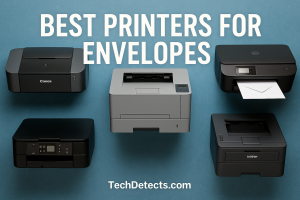
This 2026 guide focuses on printers that are genuinely good at envelopes—not just “technically supported.”
Quick Picks (TL;DR)
- Best overall for envelopes + home office: Canon MAXIFY GX7020 (rear tray + high capacity)
- Best for frequent envelope runs (laser reliability): Brother HL‑L3280CDW (manual feed / MP slot)
- Best all‑in‑one for envelopes + scanning/fax: Brother MFC‑L8905CDW (MP tray guidance is excellent)
- Best for occasional envelopes + everyday home office: HP OfficeJet Pro 9015e
- Best compact budget option (occasional envelopes): Canon PIXMA / MAXIFY entry models with rear feed (pick based on availability)
What makes a printer good for envelopes
1) The feed path (the real key)
The best envelope printers usually use one of these:
- Rear feed tray (often best for thick or stiff envelopes)
- Multipurpose (MP) tray / manual feed slot (common on lasers)
Avoid: forcing envelopes through a tight, low‑quality internal path designed mainly for plain paper.
2) Envelope support and setup
Look for explicit support for the sizes you use:
- US #10 (common business envelopes)
- DL (common international)
- C5/C6 (international sizes)
Also check for a driver option that lets you set:
- envelope size
- paper type / thickness (envelope, thick envelope)
3) Your volume decides laser vs ink
- Light use: inkjet is fine and often easier with rear feed.
- Regular mailing batches: laser is often more consistent and cheaper per page.
- Color logos/graphics: inkjet often looks better on textured envelopes.
Best Printers for Envelopes (2026)
Canon MAXIFY GX7020 (MegaTank)
Why it’s here: The GX7020 is a standout because it’s a serious home‑office printer that also has a rear tray designed for envelopes and specialty media, plus big paper capacity for normal jobs.
Who it’s for: Small businesses, home offices, and anyone sending mail regularly who also wants low running costs.
What it solves:
- Rear tray supports envelopes like DL and #10 (great for thicker media)
- MegaTank ink system keeps per‑page costs low
- Strong overall office usability (trays, ADF, connectivity)
Trade-offs: Bigger footprint than basic home printers.
Brother HL‑L3280CDW (Color Laser)
Why it’s here: If you want a reliable envelope printer without paying for a full multifunction machine, this is a great “laser envelope workhorse” class—thanks to the manual feed slot.
Who it’s for: People who print batches of envelopes and want laser consistency.
What it solves:
- Manual feed slot supports envelopes and custom sizes
- Laser output stays crisp for return addresses and logos
- Strong everyday document printing on top of envelope duty
Trade-offs: Manual feed is typically one envelope at a time—great for correctness, slower for huge stacks.
Brother MFC‑L8905CDW (Color Laser All‑in‑One)
Why it’s here: A full office AIO that’s also envelope‑friendly. Brother’s own documentation is very clear about how to load and print envelopes via the MP tray.
Who it’s for: Small offices that need scanning/copying plus regular envelope printing.
What it solves:
- Business scanning + copying + fax (depending on region/config)
- Clear MP tray workflow for envelopes
- Strong, consistent laser output
Trade-offs: Large and priced like an office machine.
HP OfficeJet Pro 9015e
Why it’s here: A very popular home‑office all‑in‑one that supports envelope printing and can handle a decent envelope capacity.
Who it’s for: People who mostly print normal documents but occasionally print envelopes (invitations, labels, mailers).
What it solves:
- Convenient app + office workflow features
- Supports common envelope sizes (varies by region)
- Good all‑in‑one functionality for home offices
Trade-offs: Envelope printing reliability can be more sensitive to settings (size + paper type). If you print envelopes constantly, a laser MP tray approach is usually calmer.
How to print envelopes without smudges, jams, or crooked output
Step 1: Use the correct tray
- Rear tray (inkjets like Canon MAXIFY) for thicker or textured envelopes
- MP tray/manual feed (lasers like Brother HL series)
Step 2: Flatten the envelope first
Press corners and edges flat. If it’s puffed or curled, you’ll get skew and jams.
Step 3: Match all settings (printer + software)
In your print dialog:
- set the envelope size (#10 / DL / C5)
- set paper type = envelope (or thick envelope)
- set orientation correctly (many printers auto-rotate)
Step 4: Print one test envelope
Before a batch, do one test to confirm:
- alignment
- margins
- return address position
Step 5: Let ink dry (inkjets)
If you’re using textured envelopes or heavy coverage:
- reduce print quality from “best” to “normal”
- allow a short dry time
Best picks by scenario
- I mail a lot + want lowest running cost: Canon MAXIFY GX7020
- I want laser reliability for envelopes: Brother HL‑L3280CDW
- I need scanning + envelopes: Brother MFC‑L8905CDW
- I only print envelopes sometimes: HP OfficeJet Pro 9015e
Comparison Table
| Printer | Type | Best for | Envelope advantage | Main trade-off |
|---|---|---|---|---|
| Canon MAXIFY GX7020 | Inkjet MegaTank AIO | Frequent mail + office | Rear tray envelope handling | Bigger footprint |
| Brother HL‑L3280CDW | Color laser | Consistent envelope runs | Manual feed slot | One-at-a-time feed |
| Brother MFC‑L8905CDW | Color laser AIO | Office workflows | MP tray guidance + reliability | Large/expensive |
| HP OfficeJet Pro 9015e | Inkjet AIO | Occasional envelopes | Convenient office AIO | Settings-sensitive |
Conclusion
For envelopes, paper path wins.
If you want the most practical “do it all” setup with great envelope handling and low running costs, the Canon MAXIFY GX7020 is a strong choice.
If you want fewer surprises and laser consistency for business mail, choose a Brother laser with a manual feed/MP tray, like the HL‑L3280CDW, and step up to MFC‑L8905CDW if you also want a serious scanner/copier.
We have also present a list of Best Printers for Stickers. Stay tuned for more updates.