Best Webcams from 1080p to 4K to Buy (2026) — The Ones Actually Worth Putting on Your Monitor
Webcams are one of those product categories where marketing can mislead buyers very quickly.
A box says 4K, the product photos look sharp, and suddenly it sounds like the camera must be good.
But in real use, a webcam is not judged by resolution alone.
What actually matters is much more practical:
- how you look in normal indoor lighting
- how reliable the autofocus is
- whether the camera handles skin tones and exposure well
- whether the software is useful or annoying
- whether the webcam fits your use case: meetings, streaming, teaching, content creation, or general remote work
That is why this guide is not just a list of webcams with the biggest numbers.
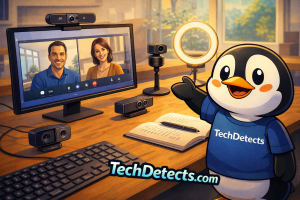
It is a shortlist of the webcams that actually make sense right now for real buyers across the full range from strong 1080p to serious 4K:
- everyday home-office users
- remote workers and teachers
- creators and streamers
- buyers who want AI framing or PTZ features
- shoppers trying to decide whether 1080p is enough or 4K is actually worth the extra cost
Because that last point matters a lot.
A good 1080p webcam can be a smarter buy than a mediocre 4K webcam. And a premium 4K webcam can still be the wrong choice if your use is mostly basic calls, your lighting is poor, or the software experience is frustrating.
So instead of chasing headline specs, this article focuses on the webcams that deserve to be recommended.
Quick Picks
- Best overall webcam: Logitech MX Brio
- Best webcam for AI tracking and movement: OBSBOT Tiny 2
- Best creator-friendly 4K webcam alternative: Insta360 Link 2
- Best 1080p webcam for most people: Elgato Facecam MK.2
- Best webcam for low-light image quality: Razer Kiyo Pro Ultra
- Best webcam for meetings and everyday calls: Logitech Brio 505
- Best budget webcam that still makes sense: Anker PowerConf C200
- Best business-focused 4K webcam alternative: Dell Pro Webcam WB5023
What actually matters when buying a webcam
1080p is still enough for a lot of people
This is important to say clearly.
Not everyone needs 4K.
If your real use is:
- Zoom or Teams calls
- Google Meet
- online teaching
- everyday remote work
- casual streaming or family calls
then a strong 1080p webcam is often the smartest choice.
Why?
Because image processing, autofocus, exposure handling, and lens quality often matter more than just increasing the resolution number. A poor 4K webcam can still look worse than a well-tuned 1080p one.
4K makes more sense when you need flexibility
A 4K webcam becomes more worthwhile when you care about things like:
- cropping without losing too much detail
- higher-end streaming or content creation
- sharper presentation for professional work
- better overall image fidelity in a polished setup
That does not automatically make 4K the best choice for everyone.
It just means 4K makes more sense once your standards and workflow actually justify it.
Low-light performance is one of the biggest separators
This is where many webcams either earn their price or fail it.
Most people do not work under perfect studio lighting. They work in home offices, bedrooms, classrooms, desks near windows, or rooms with mixed light sources.
That means the best webcams are the ones that handle:
- exposure changes
- skin tones
- highlights from windows
- indoor evening light
- noisy, muddy darker scenes
with more grace than the average camera.
Autofocus and framing matter more than buyers expect
A webcam that hunts for focus, loses the face too easily, or struggles with movement becomes irritating quickly.
This matters even more if you:
- present often
- move while teaching
- want AI tracking
- stream or create video content
That is why PTZ and tracking webcams deserve their own place here rather than being treated like normal webcams.
Software can make a good webcam feel better — or worse
Good webcam software can help with:
- framing
- color tuning
- privacy settings
- firmware updates
- HDR or low-light adjustments
- saving profiles
Bad software can do the opposite.
That is why ownership experience matters almost as much as raw image quality.
Best Webcams from 1080p to 4K to Buy
Logitech MX Brio — Best Overall Webcam
Why it’s here: This is the easiest premium all-round recommendation because it gets the core things right: image quality, ease of use, broad appeal, and a much more refined modern feel than older “professional webcam” models.
Who it’s for: Professionals, creators, remote workers, and buyers who want one high-quality webcam that feels clearly better than the average.
What it nails
- strong 4K image quality with noticeably better detail and clarity than basic webcams
- larger pixels and stronger image processing help it hold up better in difficult lighting than many cheaper 4K rivals
- clean, modern design and useful software make it easier to live with long term
- one of the strongest “buy once and use for years” webcam recommendations
- broad appeal across work, streaming, and general premium use
Real-world experience
The MX Brio feels like a webcam that was designed for how people actually work now, not how they worked ten years ago. It looks better than basic webcams, feels more polished than legacy business models, and does not need weird gimmicks to justify itself.
That is exactly why it gets the top spot.
It is not the most exotic camera here. It is the one most people can buy with the least regret.
Trade-offs: It is still expensive for a webcam, and buyers with basic meeting needs can spend much less and still look perfectly fine.
OBSBOT Tiny 2 — Best Webcam for AI Tracking and Movement
Why it’s here: This is the best recommendation for people who actually move during calls, teaching, demos, streaming, or content creation because the PTZ and tracking capabilities are genuinely useful, not just flashy.
Who it’s for: Presenters, teachers, streamers, creators, and anyone who wants a webcam that can follow movement intelligently.
What it nails
- AI-powered PTZ tracking gives it a fundamentally different advantage from fixed webcams
- 1/1.5-inch sensor makes it one of the more serious webcams for image quality too
- very strong fit for dynamic setups where staying in frame matters
- more flexible than standard webcams for demos, teaching, and creator work
- one of the most clearly differentiated webcam products in the market
Real-world experience
The Tiny 2 is not trying to be a normal webcam.
That is why it matters.
If you mostly sit still for meetings, it can be overkill. But if you teach, move, present products, sketch on a board, or simply want a camera that feels more alive and responsive, it makes a lot of sense. It is one of the few webcams where the premium is easy to understand after a few minutes of real use.
Trade-offs: More expensive than traditional webcams, and not the smartest buy if your use is mostly static desk calls.
Insta360 Link 2 — Best Creator-Friendly 4K Webcam Alternative
Why it’s here: This is one of the strongest creator-focused alternatives because it blends 4K image quality, AI tracking, and a more polished modern feature set in a way that feels useful rather than gimmicky.
Who it’s for: Creators, streamers, presenters, and buyers who want a 4K webcam with stronger personality and smarter framing tools.
What it nails
- strong 4K image and pro-level audio positioning make it more than just a visual upgrade
- AI framing and tracking make it more flexible than standard fixed webcams
- creator-friendly toolset feels more modern than many business-first cameras
- great fit for people who want something between a normal webcam and a more advanced content tool
- one of the most interesting 4K webcam choices in the category
Real-world experience
The Link 2 works because it feels like it understands modern creator behavior. It is not just about looking sharp in a meeting. It is about looking good while moving, presenting, talking, teaching, and making content in a more dynamic way.
That makes it one of the more compelling high-end webcams for buyers who want more than basic desk framing.
Trade-offs: It is still a premium webcam, so it only makes sense if you will actually use the smarter features.
Elgato Facecam MK.2 — Best 1080p Webcam for Most People
Why it’s here: This is the clearest example of why a strong 1080p webcam can still be the smartest buy. It focuses on image quality, smoothness, and control rather than chasing 4K for the sake of it.
Who it’s for: Streamers, remote workers, gamers, and buyers who want the best-quality 1080p webcam rather than jumping straight to 4K.
What it nails
- excellent 1080p60 image quality is still the sweet spot for a lot of people
- HDR and software control make it feel more premium than typical Full HD webcams
- strong fit for streaming and polished video calls
- very good balance between cost and image confidence
- one of the easiest recommendations if you want to avoid overspending on 4K
Real-world experience
The Facecam MK.2 is proof that 1080p is not dead at all.
If anything, it reminds buyers that good 1080p is still more useful than mediocre 4K. It looks sharp, smooth, and polished in the kinds of setups where most people actually use webcams. That makes it a very smart buy.
Trade-offs: Buyers who want heavy cropping flexibility or the sharpest premium image possible may still prefer 4K.
Razer Kiyo Pro Ultra — Best Webcam for Low-Light Image Quality
Why it’s here: This is the webcam for people who know their lighting is not always ideal and want a camera that can look dramatically better in dimmer conditions than ordinary webcams.
Who it’s for: Streamers, creators, and buyers who care strongly about low-light image quality and more cinematic-looking webcam results.
What it nails
- larger sensor gives it real low-light credibility compared with many mainstream webcams
- strong image character makes it stand out from flatter, more ordinary webcam output
- better fit for creators and higher-end desk setups than average office webcams
- one of the most interesting webcams if you care more about image quality than price discipline
- useful for people who want webcam footage to feel more camera-like
Real-world experience
The Kiyo Pro Ultra is not the default recommendation because it is not the most sensible choice for everyone.
It is here because it solves a real problem extremely well: bad lighting. If your desk setup is dimmer than ideal, or if you want a webcam that looks less like a webcam and more like a serious video tool, this is one of the strongest options in the market.
Trade-offs: Larger, pricier, and more specialized than most people actually need for meetings or basic streaming.
Logitech Brio 505 — Best Webcam for Meetings and Everyday Calls
Why it’s here: This is the recommendation for people who do not need a creator webcam — they need a webcam that makes meetings easy, dependable, and flattering enough without turning the purchase into a tech hobby.
Who it’s for: Remote workers, students, teachers, and anyone whose main use is meetings and calls.
What it nails
- strong 1080p image with very good auto exposure and white balance behavior
- Show Mode and auto-framing make it more useful than ordinary basic webcams
- privacy shutter and business-friendly design make it easy to live with
- one of the smartest “professional but simple” webcam buys
- broad compatibility and low-friction setup keep it easy to recommend
Real-world experience
The Brio 505 is not trying to be a creator toy or a spec-sheet flex product. It is trying to make you look good and sound competent in real calls without demanding attention.
That is why it works so well. For a lot of people, this is exactly the right level of webcam.
Trade-offs: Not the best option for higher-end streaming or users who want a big visual upgrade over strong 1080p.
Anker PowerConf C200 — Best Budget Webcam That Still Makes Sense
Why it’s here: This is the budget webcam recommendation that continues to make practical sense because it does not feel like a throwaway compromise.
Who it’s for: Budget-conscious buyers who want a better-than-basic webcam for calls, light streaming, and everyday home-office use.
What it nails
- 2K resolution gives it a more modern spec base than many cheap 1080p webcams
- built-in privacy cover and adjustable field of view add real everyday usefulness
- low-light correction helps it outperform many generic budget rivals
- one of the safest sub-premium webcam choices from a recognizable brand
- strong value if you want clear improvement without spending premium money
Real-world experience
The PowerConf C200 is the kind of webcam budget buyers should actually want: affordable, sensible, and much less risky than random marketplace alternatives. It is good enough to feel like a proper upgrade instead of a temporary fix.
That is exactly what a budget webcam should be.
Trade-offs: It does not have the refinement or image polish of the stronger premium options above it.
Dell Pro Webcam WB5023 — Best Business-Focused 4K Webcam Alternative
Why it’s here: This remains one of the more sensible business-first 4K webcams for buyers who want a polished professional camera without stepping into creator-centric PTZ or streaming-first territory.
Who it’s for: Professionals, enterprise buyers, and users who want a clean 4K webcam for work-focused setups.
What it nails
- 4K business-first approach makes it stronger for polished work setups than for flashy creator setups
- AI auto-framing and solid low-light handling make it more than just another office webcam
- very clean professional design and simple positioning help it stay easy to recommend in work environments
- one of the better alternatives to Logitech in the premium professional webcam lane
- ideal for people who want “better work webcam” rather than “creator camera”
Real-world experience
The WB5023 is appealing because it stays focused. It does not try to become a mini content-production system. It is simply a good professional webcam that does the work-focused things well enough to justify its place.
That clarity gives it a role many webcams do not fill especially well.
Trade-offs: Less exciting and less flexible than the stronger creator-facing premium webcams.
Recommended Reading: Best Wireless HDMI Video Transmitters to Buy
Webcams You Might Consider — But Should Think Twice About
Older 4K Webcams — Once Great, Now Often Harder to Justify
Why people consider them:
- lower prices
- familiar model names
- 4K still looks impressive in listings
Why they are not automatic recommendations:
- newer models often improve processing, low-light behavior, and software more than the raw resolution number suggests
- some older webcams are now only compelling if heavily discounted
- “4K” alone is not enough reason to buy an aging webcam
Expert takeaway: An older premium webcam can still be smart — but only when the price gap is meaningful enough to justify skipping newer refinements.
Generic Cheap 4K Webcams — Good Keyword, Weak Product
Why people consider them:
- 4K sounds premium
- low pricing looks tempting
- marketplace listings often make them seem like bargains
Why they are not top recommendations:
- weak processing often ruins the advantage of the resolution claim
- autofocus, low-light behavior, and microphones are frequently disappointing
- long-term software and firmware support are usually weak or nonexistent
Expert takeaway: A bad 4K webcam is still a bad webcam. Resolution is not a shortcut to quality.
How to choose the right webcam for your needs
Choose Logitech MX Brio if you want the smartest premium all-round buy
This is the safest recommendation for people who want one high-end webcam that works across nearly everything.
Choose OBSBOT Tiny 2 if you move while presenting or creating
This is the strongest AI-tracking and PTZ recommendation.
Choose Insta360 Link 2 if you want a creator-friendly 4K alternative with smarter framing features
This is the premium creator option that feels more dynamic than a fixed webcam.
Choose Elgato Facecam MK.2 if you want the best-quality 1080p webcam
This is the smartest Full HD recommendation for a lot of buyers.
Choose Razer Kiyo Pro Ultra if low-light quality matters most
This is the image-first specialist option.
Choose Brio 505 if your life is mainly meetings and calls
This is the most practical remote-work recommendation.
Choose Anker PowerConf C200 if you want strong value without going too cheap
This is the safest budget recommendation.
Buying mistakes to avoid
Do not buy a webcam based only on resolution
A good 1080p webcam can be much better than a poor 4K one.
Do not ignore your lighting conditions
Low-light behavior changes how good a webcam feels in real life.
Do not overbuy PTZ or AI-tracking features if you mostly sit still at a desk
Those features are valuable — just not for everyone.
Do not assume all budget webcams are worth the savings
Webcams are one of those categories where bad cheap products are very easy to find.
Final Buying Advice
If you want the best webcam overall, the Logitech MX Brio is the strongest recommendation because it delivers the best mix of image quality, refinement, and everyday usability for most buyers.
If you want the best movement-friendly webcam, the OBSBOT Tiny 2 is the smartest choice.
If you want a strong creator-focused 4K alternative, the Insta360 Link 2 is one of the most compelling options on the market.
If you want the best 1080p webcam, the Elgato Facecam MK.2 proves that Full HD is still the sweet spot for a lot of people.
And if you want strong value, the Logitech Brio 505 and Anker PowerConf C200 are the two smartest lower-cost directions depending on whether you care more about professional everyday polish or pure budget-friendly practicality.
The best webcam is not the one with the loudest spec line.
It is the one that fits how you actually appear on camera — your lighting, your movement, your work style, and how much quality you will really notice once the call begins.