Top Laptops for GIS & Mapping Workflows (2026)
GIS laptops are tricky because “it runs ArcGIS Pro” and “it feels fast with real projects” are two different things.
ArcGIS Pro is happiest when you combine:
- Strong CPU single‑core speed (snappy map navigation + many tools)
- Plenty of RAM (big geodatabases, imagery, and multiple apps)
- A real GPU with enough VRAM (3D scenes, raster work, deep learning, smooth visualization)
- Fast NVMe storage (huge datasets, caches, and project files)
And there’s one big reality check:
- If your workflow is ArcGIS Pro, you’re essentially shopping Windows-first.
- If your workflow is QGIS, you can be happy on Windows, macOS, or Linux.

This 2026 guide is written for real GIS users: analysts, cartographers, remote sensing folks, LiDAR/photogrammetry students, and anyone living inside ArcGIS Pro / QGIS all day.
Quick Picks (TL;DR)
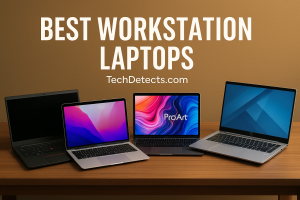
- Best overall Windows laptop for GIS: Lenovo ThinkPad P1 Gen 7
- Best premium mobile workstation alternative: Dell Precision 5690
- Best for heavy 3D / LiDAR / big raster workloads: Lenovo Legion Pro 7i (high‑power RTX)
- Best portable “creator” laptop that still works for GIS: ASUS ProArt P16
- Best value multi‑purpose GIS laptop: Nokta Legend (No)
- Best budget pick for students: a 16″ RTX 4060 laptop with 32GB RAM (ASUS TUF / Lenovo Legion 5 class)
- Best macOS option for QGIS-only workflows: MacBook Pro 14/16
(Yes, we’ll explain exactly who should buy what—and what to avoid.)
What GIS software actually wants (2026 reality)
ArcGIS Pro: RAM + Windows + GPU matter more than you expect
ArcGIS Pro’s official guidance makes the direction clear:
- 32GB RAM recommended for serious work
- 64GB+ becomes valuable for large datasets and heavy workflows
- A GPU matters for 3D and visualization; running with no real GPU can hurt performance
QGIS: easier to run, but still benefits from the same hardware
QGIS will run on macOS, Windows, and Linux. But when you’re handling big layers, large rasters, or complex styling, the same rules apply: RAM + SSD + a decent GPU keep things smooth.
The 5 things that matter most when buying a GIS laptop
1) CPU: don’t buy “lots of cores” without strong single-core speed
Many GIS tasks are mixed: some multi-thread, some don’t. A modern high‑clock CPU gives the best “everything feels fast” experience.
Good targets: Intel Core Ultra H/HX, AMD Ryzen 7/9 HS/HX class.
2) RAM: 32GB is the real starting point for ArcGIS Pro power users
- 16GB: okay for light work / students
- 32GB: the sweet spot for most GIS users
- 64GB: large rasters, LiDAR, photogrammetry, heavy multitasking
3) GPU + VRAM: the difference between “works” and “flies”
- Integrated graphics: fine for basic 2D maps
- RTX 4050/4060 (6–8GB VRAM): solid all‑round GIS choice
- RTX 4070/4080/4090+ (8–16GB+ VRAM): excellent for heavy 3D scenes, large rasters, ML/deep learning workflows
4) Storage: NVMe SSD is mandatory
GIS datasets get huge quickly. Prefer:
- 1TB minimum (2TB ideal if you keep imagery locally)
- A second SSD slot is a big bonus for project separation
5) Display + ports: underrated for GIS productivity
- 16:10 screens are great for tool-heavy apps
- Good brightness matters for field/bright rooms
- SD card readers and Thunderbolt/USB4 are practical for imagery work and fast drives
Best Laptops for GIS & Mapping Workflows (2026)
Lenovo ThinkPad P1 Gen 7
Why it’s here: This is the most balanced “serious GIS laptop” pick: workstation DNA, strong CPU options, pro graphics options, excellent keyboard/ports, and a design that’s still portable.
Who it’s for: ArcGIS Pro users who want a do‑everything machine for analysis, mapping, light-to-medium 3D, and everyday productivity.
What it solves:
- Smooth ArcGIS Pro performance with real projects
- Strong reliability and work-focused build
- Upgradeable mindset (more professional than most consumer laptops)
Trade-offs: Expensive once you spec it properly, and the thinnish workstation design means you should expect fan noise under heavy loads.
Dell Precision 5690
Why it’s here: A modern premium workstation option with RTX Ada professional GPUs available (including higher VRAM options). Great if you want a polished mobile workstation ecosystem.
Who it’s for: Professionals who want a high-end Windows workstation for GIS + other pro apps.
What it solves:
- Excellent GPU options for visualization + 3D workflows
- Strong build quality and display options
- A “corporate IT friendly” workstation line
Trade-offs: Can get very expensive; memory may be less upgrade-friendly depending on configuration.
Lenovo Legion Pro 7i (high‑power RTX)
Why it’s here: For heavy GIS—big rasters, 3D scenes, photogrammetry, and LiDAR—raw GPU power and sustained cooling matter. High-wattage RTX laptops can outperform thin workstations for the money.
Who it’s for: Power users who prioritize performance over portability (students in remote sensing / LiDAR labs, heavy 3D visualization, etc.).
What it solves:
- Faster GPU-accelerated workflows
- Better sustained performance under long processing loads
- Great value when compared to top-tier pro workstations
Trade-offs: Heavy, not subtle, and battery life is usually not great.
ASUS ProArt P16
Why it’s here: A “creator-class” laptop that hits a sweet spot for GIS users who also care about a premium display, portability, and strong GPU options.
Who it’s for: GIS users who travel, present maps often, or split time between GIS + creative or reporting work.
What it solves:
- Strong performance in a more portable chassis
- Excellent display for map design and imagery review
- A balanced high-end Windows laptop that isn’t a bulky workstation
Trade-offs: Some configurations use soldered RAM; verify your RAM capacity at purchase.
“Student value pick”: 16″ RTX 4060 laptop (configured right)
Why it’s here: If you configure a good midrange laptop properly—RTX 4060 + 32GB RAM + 1TB NVMe—you can get an excellent GIS experience without workstation pricing.
Who it’s for: Students and early-career users who want performance-per-dollar.
What it solves:
- Great ArcGIS Pro performance for the money
- Enough GPU for 3D and raster work
Trade-offs: Builds and screens vary—choose reputable models with good thermals and at least a decent panel.
macOS pick (QGIS only): MacBook Pro 14 / 16
Why it’s here: For QGIS workflows, macOS can be excellent: fast, quiet, and battery-efficient.
Who it’s for: QGIS-first users (or people who use cloud/remote Windows for ArcGIS Pro).
What it solves:
- Portable, quiet GIS work
- Great battery life for field days and travel
Trade-offs: ArcGIS Pro is Windows-first, so macOS-only users need a Windows plan (remote desktop, Parallels, or a separate Windows machine).
Recommended specs by GIS workload
Light GIS (students, basic mapping, small projects)
- CPU: modern i5/Ryzen 5 or better
- RAM: 16GB minimum (32GB preferred)
- GPU: integrated ok; RTX 4050 is a bonus
- SSD: 512GB minimum (1TB preferred)
Typical professional GIS (ArcGIS Pro daily driver)
- CPU: modern i7/Ryzen 7 class
- RAM: 32GB
- GPU: RTX 4060/4070 (8GB VRAM)
- SSD: 1TB NVMe
Heavy GIS (LiDAR, big rasters, photogrammetry, deep learning, serious 3D)
- CPU: high-end Ultra 9 / Ryzen 9 class
- RAM: 64GB+
- GPU: RTX 4080/4090+ (12–16GB+ VRAM)
- SSD: 2TB NVMe + second SSD slot
Comparison Table
| Laptop | Best for | Biggest strength | Main trade-off |
|---|---|---|---|
| ThinkPad P1 Gen 7 | Best overall GIS | Workstation balance | Price |
| Dell Precision 5690 | Pro workstation buyers | RTX Ada options | Expensive |
| Legion Pro 7i | Heavy 3D/LiDAR | Sustained GPU power | Heavy/battery |
| ASUS ProArt P16 | Portable premium | Strong GPU + display | Config variability |
| RTX 4060 16″ value class | Students/value | Performance per dollar | Screen/thermals vary |
| MacBook Pro (QGIS) | QGIS travel workflow | Quiet + battery | ArcGIS Pro Windows plan |
Conclusion
For GIS, the “best laptop” depends on whether you’re mostly doing 2D mapping, heavy raster/LiDAR work, or a mix of analysis + presentations.
If you want the safest Windows choice that feels professional and stays relevant for years, go ThinkPad P1 Gen 7. If you’re pushing heavy 3D and big datasets and want the most performance for the money, a high‑power RTX laptop like the Legion Pro 7i makes sense. And if you need premium portability with real performance, the ASUS ProArt P16 is a strong modern option.
We also have a list of Best Laptops for AutoCAD – Smooth 2D + 3D Picks. and in-case you are looking for a graphics card for this purpose then these are Best Graphic Cards for CAD — Workstation Picks are recommended for you as well. Stay tuned for more updates and useful information.