Best Laptops for Engineering Students (2026) — Smart Picks for CAD, MATLAB, Simulation, and College Life
Engineering students do not all need the same laptop.
That is the biggest mistake in this category.
A first-year civil engineering student using browser tabs, MATLAB, PDFs, and light AutoCAD work does not need the same machine as a mechanical engineering student working in SOLIDWORKS, Fusion, simulations, and larger 3D assemblies. And neither of them necessarily needs the same laptop as an electrical engineering student running coding tools, circuit software, and occasional simulation workloads.
That is why this guide is not just a random list of “powerful laptops.”
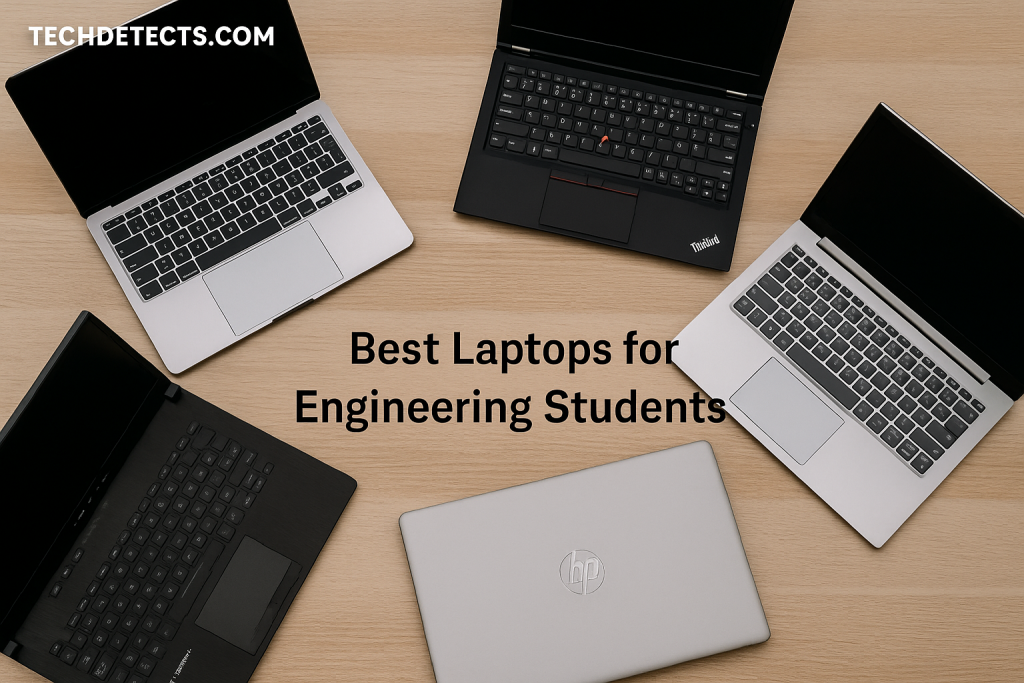
We are focusing on the things that actually matter for engineering students in the real world:
- enough CPU performance for CAD, MATLAB, coding, and technical apps
- the right kind of GPU when 3D modeling or simulation starts getting serious
- enough RAM to avoid frustration over the next few years
- cooling and sustained performance, not just burst specs
- portability and battery life for actual campus use
- operating-system reality, because some engineering software still strongly favors Windows
This last point matters more than many buyers realize. Major engineering software ecosystems still lean heavily toward Windows. SOLIDWORKS lists Windows 11 and Windows 10 64-bit client support, while Autodesk officially documents feature differences between AutoCAD for Windows and AutoCAD for Mac, and Ansys Student lists Microsoft Windows 10 and 11 64-bit as supported platforms. That is why most engineering students are still safest buying Windows first, especially if their exact course software is not fully confirmed yet.
So instead of giving you a list full of overkill gaming laptops or thin premium machines that look good in class but collapse under real workloads, this guide shortlists the laptops that actually make sense.
Quick Picks
- Best overall for most engineering students: ASUS ROG Zephyrus G14
- Best true workstation for serious CAD / simulation: Lenovo ThinkPad P16 Gen 2
- Best mobile workstation value: HP ZBook Power 16 G11
- Best for long-term upgradeability: Framework Laptop 16
- Best premium workstation alternative: Dell Pro Max 16
- Best performance-value gaming-style pick: Lenovo Legion Pro 5i Gen 10
- Best Mac for engineering students who know their workflow fits macOS: MacBook Air M4
What engineering students should actually prioritize
1) Windows is still the safest default
A lot of students want a Mac because of battery life, build quality, or ecosystem reasons.
That is understandable.
But engineering is not a “buy whatever premium laptop you like” category. It is a software-compatibility category first.
If your degree will involve:
- SOLIDWORKS
- Ansys
- many Windows-first CAD or simulation tools
- department-managed engineering software labs and packages
then Windows is still the safer choice.
MacBooks can still make sense for some students — especially in coding-heavy or lighter engineering workflows — but they are not the universal engineering answer. Autodesk itself documents Windows-vs-Mac feature differences for AutoCAD, and SOLIDWORKS support remains Windows-centric.
2) CPU matters more than many casual guides suggest
Engineering workloads are often CPU-heavy before they are GPU-heavy.
That is especially true for:
- MATLAB
- coding and compiling
- spreadsheets and data work
- many simulation setups
- CAD operations that are not purely graphics-bound
The safe modern target is:
- Intel Core Ultra H / HX class or strong recent Intel H-class chips
- AMD Ryzen AI 9 / Ryzen 7 / Ryzen 9 H or HX class
A weak ultrabook CPU can feel fine on day one but become frustrating by year two.
3) RAM is one of the biggest quality-of-life upgrades
For engineering students in 2026, this is the practical rule:
- 16GB RAM is the real minimum
- 32GB RAM is where heavier CAD/simulation users start to feel comfortable
If you expect to keep this laptop for most or all of your degree, RAM matters a lot.
4) Dedicated GPU: not always required, but often worth it
If your workload is mainly:
- coding
- MATLAB
- notes, reports, browsing
- light drafting
then integrated graphics can be enough.
But if your work includes:
- 3D CAD
- rendering
- larger assemblies
- simulations with graphics demands
- GPU-accelerated workflows
then a dedicated GPU becomes much more valuable.
For many students, an NVIDIA GeForce RTX-class laptop is the best value compromise. For stricter professional CAD workflows, workstation GPUs and certified systems matter more. SOLIDWORKS also maintains a hardware certification program for qualified workstation configurations.
5) Workstation vs gaming laptop: what is better?
This is one of the most important buying decisions.
Mobile workstation
Best for students who need:
- professional reliability
- CAD certification priorities
- more serious simulation / engineering work
- long-term engineering-focused use
Trade-off: heavier, more expensive, less “fun” value.
Gaming-style performance laptop
Best for students who want:
- strong CPU + GPU performance for the money
- flexibility across engineering software, creative work, and gaming
- better price-to-performance in many cases
Trade-off: often less battery life, less workstation-style certification, more aggressive design depending on model.
For many students, the gaming-style route is actually the smarter value play.
Best Laptops for Engineering Students (2026)
ASUS ROG Zephyrus G14 — Best Overall for Most Engineering Students
Why it’s here: This is one of the best-balanced high-performance student laptops on the market: strong CPU options, real RTX graphics, excellent portability, and a chassis that does not feel like a huge brick in a backpack.
Who it’s for: Engineering students who want one powerful laptop that can handle classes, CAD, coding, modeling, and long-term ownership without going full workstation-heavy.
What it nails
- strong AMD Ryzen AI 9 HX 370 platform with high-end RTX options available
- much more portable than many 16-inch engineering laptops
- premium build and excellent overall usability
- powerful enough for a very wide range of engineering student workloads
Real-world experience
This is the laptop that makes the most sense for the widest number of engineering students.
It is not the cheapest. It is not the most upgradeable. It is not the most “certified workstation” option either.
But it is one of the few laptops that gets the overall balance right: real performance, strong portability, and enough graphics headroom to stay useful for several years.
That balance is why it gets the top spot.
Trade-offs: Soldered-memory style limitations and premium pricing matter, and a 14-inch chassis still means less upgrade flexibility than larger workstations. ASUS lists it with up to Ryzen AI 9 HX 370 and up to GeForce RTX 5080 Laptop GPU, which confirms how much real headroom it has for demanding student use.
Lenovo ThinkPad P16 Gen 2 — Best True Workstation for Serious CAD and Simulation
Why it’s here: If you want a no-nonsense mobile workstation with real engineering credibility, this is one of the strongest answers.
Who it’s for: Mechanical, aerospace, industrial-design, CAD-heavy, or simulation-heavy students who want a true workstation instead of a gaming-style compromise.
What it nails
- workstation-grade configuration options with NVIDIA RTX Ada professional GPUs
- strong memory and storage potential for large engineering workloads
- ThinkPad keyboard, build, and business-class design are excellent for long-term use
- better fit for certified, engineering-first workflows than consumer laptops
Real-world experience
This is not the “fun” pick. It is the serious pick.
The P16 is the kind of machine you buy when you care less about being ultra-thin and more about having a proper mobile workstation that feels built for professional software. That matters a lot for students who already know their coursework will lean heavily into CAD, assemblies, and more demanding workloads.
Trade-offs: Heavy, expensive, and overkill for many first-year students. Lenovo’s own specs show options up to NVIDIA RTX 5000 Ada graphics and 32GB/1TB class configurations, which is exactly why it sits in the real-workstation tier rather than the general student tier.
HP ZBook Power 16 G11 — Best Mobile Workstation Value
Why it’s here: This is one of the better ways to get into real engineering-workstation territory without jumping straight to the most expensive ultra-premium models.
Who it’s for: Students who want workstation credibility and stronger pro-app focus at a more practical price than top-end workstation lines.
What it nails
- up to RTX 3000 Ada class graphics in a professional mobile-workstation design
- up to 64GB DDR5 memory gives it solid long-term headroom
- more practical value than many flagship workstation models
- a strong middle ground between “serious tool” and “student-reasonable purchase”
Real-world experience
This is the workstation choice for buyers who want to be smart, not flashy. It gives you the engineering-laptop mindset without forcing you all the way into the heaviest and most expensive workstation tier.
That makes it one of the most appealing picks for students who already know they need more than a normal laptop.
Trade-offs: Still heavier and less battery-friendly than mainstream student laptops. HP’s official material confirms up to NVIDIA RTX 3000 Ada Laptop GPU and up to 64GB DDR5 SODIMM memory, which is exactly the kind of spec ceiling that makes sense for longer engineering use.
Framework Laptop 16 — Best for Long-Term Upgradeability
Why it’s here: Most laptops are disposable compared with this. Framework is one of the few brands genuinely pushing modular, repairable, upgradable laptop design in a meaningful way.
Who it’s for: Students who want to upgrade over time instead of replacing the whole machine, and who value repairability and long-term flexibility.
🔗 Available via Official Website
What it nails
- modular and highly repairable design philosophy
- upgradeable graphics approach is almost unique in the laptop market
- very appealing for students who plan to keep and evolve one machine over years
- stronger long-term ownership story than most sealed premium laptops
Real-world experience
This is the most future-minded option here.
For engineering students, that matters. Your needs may change from year one to year four. A laptop that can evolve is a very different proposition from one that is locked down from day one.
That does not automatically make it the best buy for everyone, but it absolutely makes it one of the most interesting.
Trade-offs: It is more niche, and not everyone wants a modular ecosystem. Framework’s official specs highlight Ryzen AI 300 Series processors and upgradeable graphics with GeForce RTX 5070, which makes it much more than just a repairability concept machine.
Dell Pro Max 16 — Best Premium Workstation Alternative
Why it’s here: Dell’s Pro Max line is clearly aimed at users who need workstation-style capability in a polished enterprise package.
Who it’s for: Students who want premium workstation positioning, professional graphics options, and a more modern enterprise design than older bulky workstation stereotypes.
What it nails
- workstation-oriented Intel Core Ultra platform
- professional RTX PRO Blackwell graphics options are a serious differentiator
- polished premium-business design language
- strong fit for demanding technical software workloads
Real-world experience
The Dell Pro Max 16 is for buyers who want the workstation route but do not want their laptop to feel like a giant industrial slab. It is still firmly in the serious-laptop category, but it presents that capability in a more modern, cleaner package.
That makes it especially attractive for engineering students who want professional credibility and a premium feel in one machine.
Trade-offs: Price is significant, and the base configuration matters a lot. Dell’s official store lists Intel Core Ultra 7 255H with NVIDIA RTX PRO 500 Blackwell Generation graphics in current configs, while Dell’s product sheet documents options scaling up into higher RTX PRO Blackwell tiers.
Lenovo Legion Pro 5i Gen 10 — Best Performance-Value Pick
Why it’s here: This is the classic engineering-student sweet spot: strong CPU, strong GPU, plenty of raw value, and no workstation price penalty.
Who it’s for: Students who want maximum performance for the money and are comfortable with a gaming-style laptop aesthetic.
What it nails
- excellent CPU/GPU power for the price class
- much stronger value than many premium creator or workstation laptops
- highly suitable for 3D modeling, rendering, technical apps, and even gaming after class
- larger chassis helps sustained performance
Real-world experience
For a lot of engineering students, this is the smartest purchase here.
You are not paying the workstation tax. You are not sacrificing performance for ultra-thin design. And you are getting the kind of CPU/GPU combination that can handle a wide range of demanding student workloads.
It may not be elegant, but it is effective.
Trade-offs: Bigger, heavier, and more “gaming laptop” than some students want to carry every day. Lenovo lists this model with Intel Core Ultra 9 275HX and GeForce RTX 5070 Ti class options, which is exactly why it is such a strong value-performance play.
MacBook Air M4 — Best Mac for Engineering Students Who Know Their Workflow Fits macOS
Why it’s here: Not every engineering student should buy a Mac — but some absolutely can, and when they can, the MacBook Air remains one of the best student laptops on the market.
Who it’s for: Students whose engineering workflow is lighter, coding-heavy, math-heavy, or clearly macOS-compatible, and who value battery life, silence, and portability.
Budget > No Issue then:
👉 Buy on M5 Macbook Pro on Amazon
What it nails
- exceptional portability and battery-first student usability
- strong general performance for coding, reports, research, MATLAB-style lighter tasks, and everyday campus life
- excellent keyboard, trackpad, and build quality
- fanless design remains a major comfort advantage
Real-world experience
The MacBook Air M4 is a brilliant student laptop.
It is just not the universal engineering laptop.
If your school software requirements are confirmed and compatible, it can be a fantastic choice. If not, it can become an expensive mistake. That is the honest way to frame it.
Trade-offs: macOS compatibility remains the main limitation for engineering students, not the hardware. Apple’s official specs show the M4 MacBook Air with a 10-core CPU configuration and strong efficiency-focused design, but the bigger issue is still software reality, not speed.
How to choose the right one for your engineering major
Mechanical / Aerospace / CAD-heavy students
Best fits:
- Lenovo ThinkPad P16 Gen 2
- HP ZBook Power 16 G11
- Lenovo Legion Pro 5i
- ASUS ROG Zephyrus G14
These students are the most likely to benefit from strong dedicated graphics and higher RAM ceilings.
Civil / General engineering students
Best fits:
- ASUS ROG Zephyrus G14
- Lenovo Legion Pro 5i
- HP ZBook Power 16 G11
A balanced performance laptop is often enough unless your department is heavily simulation-focused.
Electrical / Computer / Software-leaning engineering students
Best fits:
- ASUS ROG Zephyrus G14
- MacBook Air M4 (only if software fit is confirmed)
- Framework Laptop 16
These workflows often care more about CPU, portability, RAM, battery life, and coding comfort than maximum CAD certification.
Buying mistakes engineering students should avoid
Do not buy a thin office ultrabook just because it looks premium
A beautiful thin laptop with weak cooling and no GPU can become frustrating very quickly in engineering workloads.
Do not underbuy RAM
16GB should be your floor. If your budget allows 32GB for heavier work, it is money well spent.
Do not assume Mac equals safe for engineering
MacBooks are excellent laptops. They are just not the safest blind buy for engineering software.
Do not overspend on workstation branding if your workload is moderate
Some students truly need a workstation. Many would be better served by a strong gaming-style performance laptop.
Final Buying Advice
If you want the safest overall recommendation, the ASUS ROG Zephyrus G14 is the best engineering-student laptop for most people because it balances power, portability, and long-term usefulness better than most rivals.
If your workload is clearly CAD- and simulation-heavy, the Lenovo ThinkPad P16 Gen 2 is the real workstation answer.
If you want a more practical workstation buy, the HP ZBook Power 16 G11 is one of the smartest options.
If your priority is raw performance per dollar, the Lenovo Legion Pro 5i is hard to beat.
And if you want a Mac, only buy the MacBook Air M4 after checking your department’s software requirements carefully.
That one step can save you from the biggest engineering-laptop mistake of all.